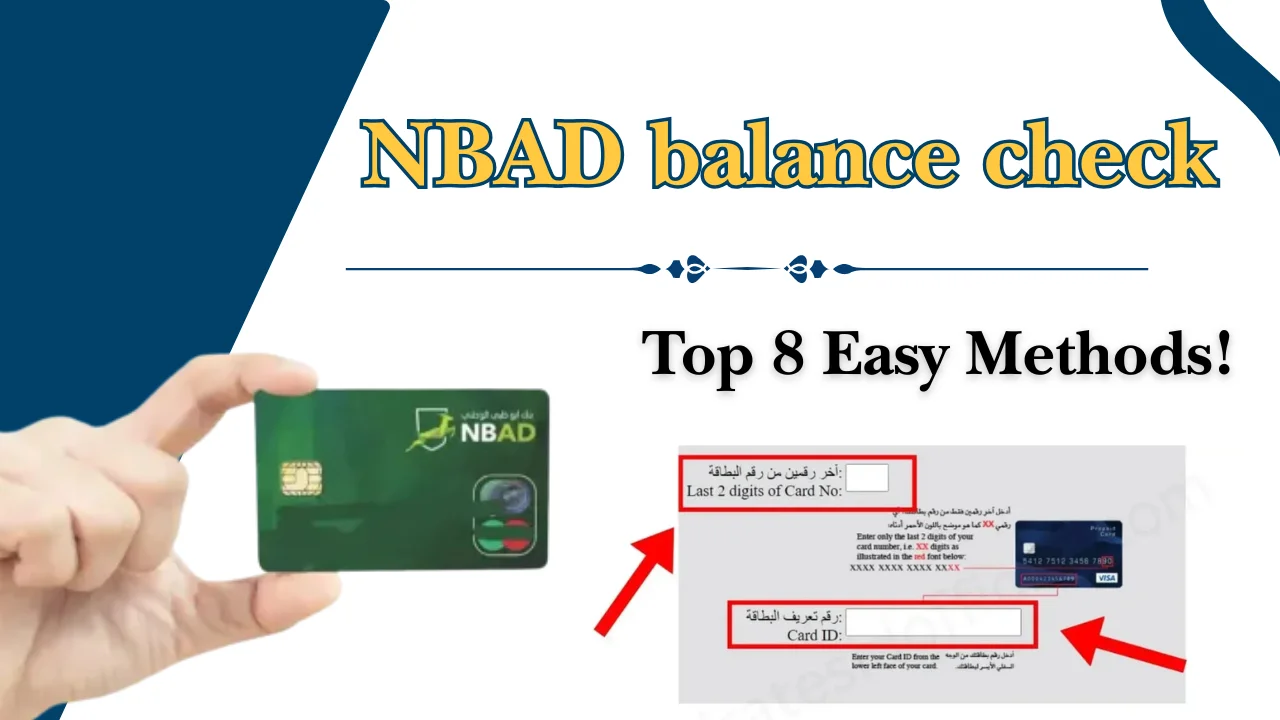
If you are looking for the easiest way to complete an NBAD balance check, you have several secure options available in the UAE.
- What Is an NBAD Balance Check?
- Best Ways to Check Your NBAD Balance
- How to Check NBAD Balance Online (Step-by-Step)
- How to Check Your NBAD Balance Using the Mobile Banking App
- Download and Install the App
- Register or Log In
- Verify Your Identity
- Link Your Account or Card
- View Account Balance
- Troubleshooting Mobile App Issues
- How to Check Salary Card Balance
- Salary Card Balance Online
- Salary Card Balance Without Login
- Required Card Details
- Identity Verification Process
- Salary Card Activation
- Common Salary Card Errors
- How to Check Ratibi Card Balance
- Online Balance Enquiry
- Mobile App Method
- ATM Method
- SMS Method
- Eligibility Requirements
- Employer Benefits
- How to Check nbad Balance by SMS
- How to Check Balance by ATM
- How to Check Balance by Phone Banking
- How to Check Balance at a Branch
- How to Download Account Statements
- Understanding UAE Salary Cards and Payroll Cards
- Key Features and Benefits
- Advantages and Limitations of Different Balance Check Methods
- Comparison of All Balance Check Methods
- Which NBAD Bank Balance Check Method Is Best?
- Salary Card Holders
- Payroll Card Users
- Mobile Banking Users
- Senior Citizens
- Users Without Internet Access
- Common NBAD Balance Enquiry Problems and How to Fix Them
- Common Mistakes to Avoid During Balance Enquiry
- Security Tips for Safe Online Banking
- Fees and Charges You Should Know
- How to Open a UAE Bank Account
- Latest Digital Banking Updates (2026)
- Related UAE Balance Enquiry Services
- Conclusion
- FAQs
- How can I check my balance online?
- How do I check my salary card balance?
- Is online balance enquiry free?
- Why is my salary not showing?
- Can I check my balance from any ATM in the UAE?
- What should I do if my account is locked?
- How often is my account balance updated?
- Can I download my account statement online?
- What should I do if I lose my salary card?
- Which method is the fastest for checking my balance?
Although National Bank of Abu Dhabi (NBAD) is now part of First Abu Dhabi Bank (FAB), many customers still search using the former bank name.
Dubai Brief explains every available nbad bank balance check method in simple steps. By the end of this guide, you will know which method is best for your needs and how to avoid common balance enquiry problems.
What Is an NBAD Balance Check?
An NBAD balance check is the process of viewing the available funds in your bank account or salary card. Customers can use digital banking services, ATMs, SMS banking, customer support, or branches to confirm their current balance and recent transactions.
Checking your account regularly helps you:
- Confirm salary deposits.
- Monitor spending.
- Identify unauthorized transactions.
- Avoid insufficient balance issues.
- Plan your monthly budget more effectively.
Types of Accounts and Cards Supported
Different banking products offer different balance enquiry options. Most customers can use more than one method depending on their account type.
Savings Account
A savings account allows customers to save money while checking their balance easily through online banking, the mobile app, ATMs, phone banking, or branch services.
Current Account
A current account is designed for everyday banking and business transactions, with convenient nbad online balance check options available anytime.
Salary Account
Salary accounts receive monthly salary payments under the UAE’s Wage Protection System (WPS), and employees can complete an nbad balance check salary using multiple banking channels.
Prepaid Payroll Card
Prepaid payroll cards enable employees to receive salaries and perform a ppc nbad balance check through online services, ATMs, or other approved banking methods.
Ratibi Card
The Ratibi Card is a payroll card that allows users to complete an nbad ratibi balance check quickly through online banking, ATMs, SMS banking, or authorised payroll portals.
Best Ways to Check Your NBAD Balance
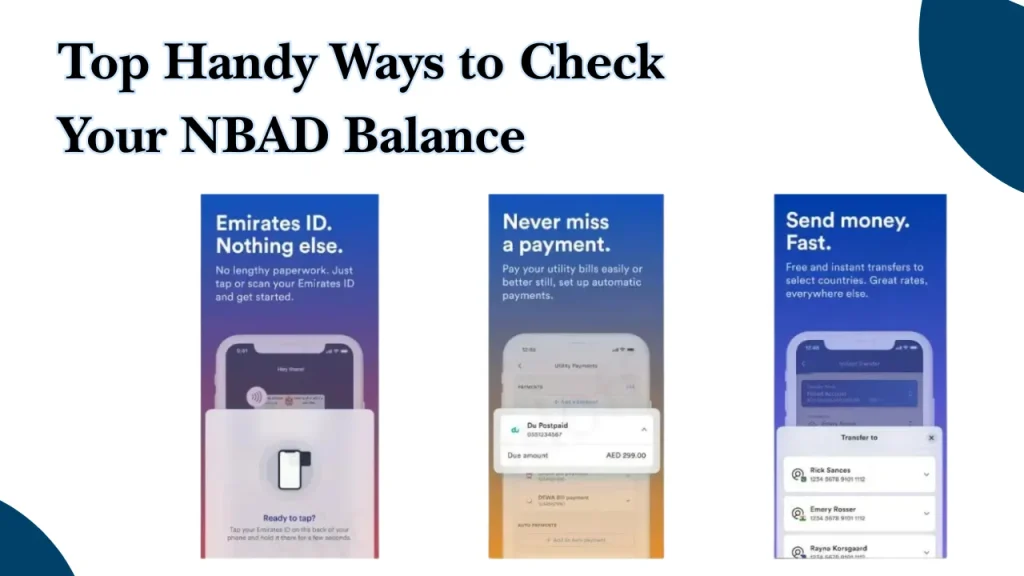
Customers in the UAE can choose from several convenient methods depending on their device, location, and banking preferences. Digital options are generally the quickest, while branches and phone banking remain useful for customers who require additional assistance.
| Balance Check Method | Explanation |
| Online Banking Portal | Log in securely through the official internet banking portal to view your available balance, recent transactions, statements, and account information. |
| Mobile Banking App | Use the official banking application on Android or iPhone to check balances, monitor transactions, receive notifications, and manage accounts from anywhere in the UAE. |
| Salary Card Portal | Employees with payroll or salary cards can access dedicated salary card services for a quick nbad check without visiting a branch. |
| SMS Banking | Registered users can request account information through SMS banking. This method is useful when internet access is unavailable. |
| ATM Balance Enquiry | Insert your card into any supported ATM, enter your PIN, and select Balance Enquiry to instantly view your available balance. |
| Phone Banking | Consumers can use the automated or assisted phone service to get balance information by contacting customer care and completing identity verification. |
| Branch Visit | Visit a nearby branch with valid identification to request a balance enquiry or other account-related services directly from bank staff. |
| POS Terminal Balance Check | Some point-of-sale terminals allow customers to check the available balance on eligible debit or prepaid cards before making purchases. |
| Email Alerts | Customers who have enabled email notifications may receive account activity alerts, helping them monitor balances after transactions or salary deposits. |
| AI Chat Support | After successful identity verification, digital banking platforms may offer AI-assisted chat services that direct users to account details. |
| Digital Wallet Integration | Customers who have linked eligible cards to supported digital wallets can conveniently monitor card activity and available balances through compatible applications. |
How to Check NBAD Balance Online (Step-by-Step)
An nbad online balance check is one of the quickest and most convenient ways to monitor your account. The service is available 24 hours a day and allows customers to access account information from any internet-connected device.
- Visit the Official Banking Portal: Before entering your login information, ensure sure the website address begins with https:// by opening the official online banking website with a secure browser.
- Securely Log in: Enter your password and username that you registered. Don’t store your login information on shared or public devices.
- Final OTP Verification: To confirm your identification, enter the One-Time Password (OTP) that was provided to your registered email address or mobile number. Keep your OTP private at all times.
- Get to Your Dashboard: View your linked accounts, cards, balances, and other available banking services by opening your account dashboard after verification.
View Available and Current Balance
Select the account or card you want to review.
You can usually view:
- Available balance
- Current balance
- Recent salary deposits
- Pending transactions
- Card information
- Transaction summaries
This method is particularly useful for customers performing an nbad balance inquiry or checking their monthly salary credit.
Download Account Statements
Most online banking portals allow customers to download account statements in PDF format for personal records, business accounting, or visa applications.
Statements can usually be generated for custom date ranges, making it easy to monitor your banking activity throughout the year.
How to Check Your NBAD Balance Using the Mobile Banking App
The official mobile banking app is one of the quickest ways to perform an nbad bank balance check. It allows customers to access their accounts securely at any time, whether they are at home, at work, or travelling within the UAE.
Besides checking your balance, the app also lets you view transactions, transfer funds, manage cards, download statements, and receive instant banking notifications.
Download and Install the App
Visit the Google Play Store for Android devices or the Apple App Store for iPhones. Download the official banking application published by the bank.
Always install the official app to keep your banking information secure.
Register or Log In
Open the app and sign in using your registered username and password. New customers can complete the registration process by following the on-screen instructions.
Once registration is complete, future logins become much quicker.
Verify Your Identity
For additional protection, the app may request:
- One-Time Password (OTP)
- Biometric verification (Fingerprint or Face ID)
- Security questions
- Device verification
These security checks help protect your banking information.
Link Your Account or Card
If your account is not already linked, add your account or salary card using the required information.
This allows you to manage multiple accounts from one application.
View Account Balance
After logging in, your dashboard displays:
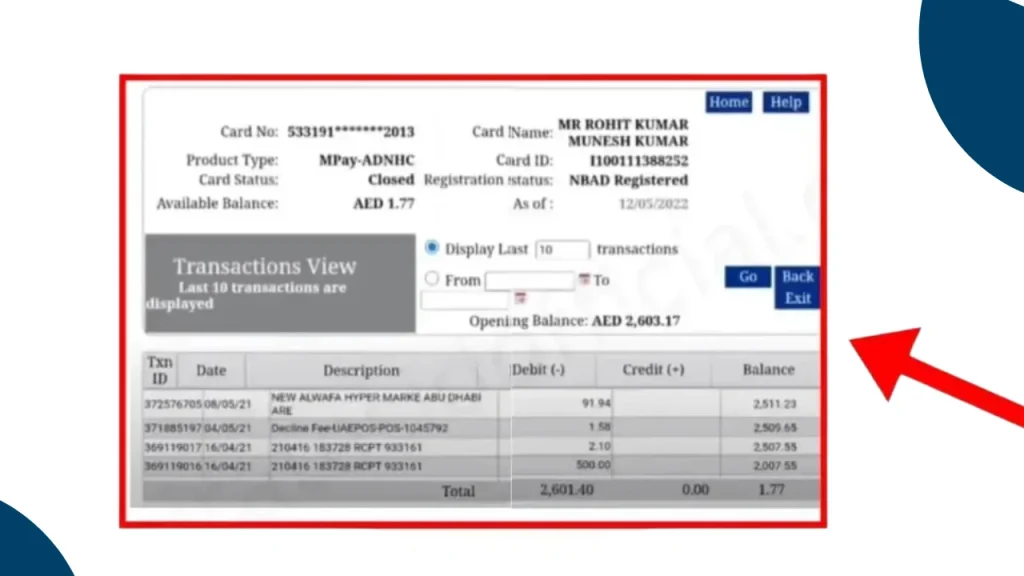
- Available balance
- Current balance
- Salary deposits
- Linked cards
- Recent transactions
This is one of the easiest methods for an nbad online balance check.
Troubleshooting Mobile App Issues
If the app is not working properly, try the following:
- Update the application.
- Restart your device.
- Check your internet connection.
- Clear the app cache.
- Verify your login credentials.
- Contact customer support if the issue continues.
How to Check Salary Card Balance
Employees who receive their salary through a payroll or salary card can easily perform an Salary balance check using several secure methods.
Salary Card Balance Online
Most salary card holders can log in through the designated salary card portal to check:
- Available balance
- Salary credit status
- Transaction history
- Card information
Salary Card Balance Without Login
Some salary card services allow balance enquiries by entering:
- Card number
- Card expiry date
- Personal verification details
This method is useful when you do not have full internet banking access.
Required Card Details
Before checking your balance, keep the following information ready:
- Salary card number
- Emirates ID (where required)
- Registered mobile number
- Date of birth, if requested
Having the correct details reduces verification delays.
Identity Verification Process
To protect customer accounts, the system may request:
- OTP verification
- Security questions
- Registered mobile confirmation
- Device authentication
Never share verification codes with another person.
Salary Card Activation
If your salary card is new, it may need activation before use.
Activation can usually be completed through:
- ATM
- Mobile banking
- Customer support
- Branch visit
Only activated cards can be used for transactions and balance enquiries.
Common Salary Card Errors
Some common issues include:
- Salary not credited
- Invalid card number
- Incorrect PIN
- Expired card
- Blocked account
- Temporary server maintenance
Most problems can be resolved by contacting customer support or your employer.
How to Check Ratibi Card Balance
The Ratibi Card is a payroll solution designed for employees who receive salaries without opening a traditional bank account. Users can complete an nbad ratibi balance check through several convenient methods.
Online Balance Enquiry
Visit the official salary card enquiry portal and enter your required card information.
After successful verification, your available balance will be displayed.
Mobile App Method
If your card supports mobile banking services, simply:
- Log in.
- Select your card.
- View the available balance.
- Review recent salary transactions.
ATM Method
- Insert your Ratibi Card into a supported ATM.
- After entering your PIN, choose Balance Enquiry to view your available balance.
SMS Method
- Registered users can send the required SMS command to receive their latest balance information.
- SMS banking is especially useful when internet access is unavailable.
Eligibility Requirements
Generally, applicants must:
- Be employed in the UAE.
- Receive salary through an approved employer.
- Meet payroll programme requirements.
- Complete employer registration.
Employer Benefits
Many employers prefer payroll cards because they help:
- Simplify salary payments.
- Reduce cash handling.
- Improve payroll accuracy.
- Support Wage Protection System (WPS) compliance.
- Lower administrative work.
How to Check nbad Balance by SMS
SMS banking remains a convenient option for customers who want a quick access without internet access.
SMS Registration Options
Customers usually need to register before using SMS banking.
Register Through ATM
Insert your card into an ATM and enable SMS banking from the available services menu.
Register via Customer Support
Call customer support and request SMS banking activation after completing identity verification.
Register at a Branch
Visit your nearest branch with valid identification and request SMS banking registration.
SMS Format
Once registered, send the required keyword or command from your registered mobile number according to the bank’s SMS banking instructions.
Always use the correct format to avoid failed requests.
Understanding the SMS Response
After processing your request, you will normally receive a reply containing:
- Available balance
- Date and time
- Account reference
- Transaction status (if applicable)
How to Check Balance by ATM
ATM balance enquiries remain one of the most reliable methods for customers who prefer physical banking services.
Finding a Nearby ATM
Locate a nearby ATM using the official banking website or mobile application.
Many ATMs across the UAE operate 24 hours a day.
Step-by-Step ATM Process
Follow these simple steps.
- Insert your debit card, salary card, or payroll card into the ATM.
- Carefully enter your confidential PIN.
- Shield the keypad while entering your PIN.
- Choose your preferred language from the available options.
- Select Balance Enquiry from the ATM menu.
- Choose the appropriate account if multiple accounts are linked.
- You may print a receipt or simply view the balance on the ATM screen.
Common ATM Problems and Solutions
Common ATM issues include:
- Card retained by ATM
- Incorrect PIN
- ATM out of service
- Network error
- Cash withdrawal failure
If any issue occurs, contact customer support immediately.
How to Check Balance by Phone Banking
Phone banking provides another secure option for customers who prefer speaking with a representative or using automated services.
Calling Customer Support
Call the official customer support number using your registered mobile number whenever possible.
Follow the automated instructions.
How to Check Balance at a Branch
Some customers still prefer visiting a branch, especially for account-related enquiries requiring personal assistance.
Documents Required
Bring the following:
- Emirates ID
- Passport (if required)
- Salary card or debit card
- Account information
Branch Verification Process
A customer service representative will verify your identity before providing account information.
This helps protect your personal banking details.
Services You Can Request During Your Visit
Besides checking your balance, you can request:
- Account statements
- Card replacement
- PIN reset
- Salary certificate
- Account updates
- General banking assistance
How to Download Account Statements
Account statements provide a complete record of your banking activity and are often required for financial planning, loan applications, visa processing, and personal record keeping.
Online Banking Method
Here you can easily download nbad account statement by using Online banking method:
- Log in to your internet banking account
- select the Statements section.
- Choose your preferred date range
- download the statement in PDF format.
Mobile App Method
Open the mobile banking app and navigate to your account details.
Select Statements, choose the required period, and download or share the file securely.
Statement Formats Available
Most customers can download statements in formats such as:
- Digital viewing within the app
- Printable copies
- Email delivery, where available
Understanding UAE Salary Cards and Payroll Cards
Salary cards and payroll cards are widely used across the UAE to distribute employee wages securely through approved payroll systems. They provide workers with easy access to their salaries while supporting the country’s Wage Protection System requirements.
Employees can use these cards to withdraw cash, make purchases, transfer funds where permitted, and perform an nbad bank balance check online or through ATMs, SMS banking, and other approved channels. Employers benefit from faster salary distribution, reduced paperwork, improved payroll management, and better compliance with UAE labour regulations.
Key Features and Benefits
- 24/7 Balance Access, check your account anytime using online banking, ATMs, or the mobile app.
- Secure Banking, multiple security layers such as OTPs and biometric authentication help protect your account.
- Instant Salary Tracking, verify salary deposits as soon as they are are credited.
- Spending Management, monitor transactions and control your monthly budget more effectively.
- Fraud Detection, regular balance checks help identify suspicious transactions quickly.
- Digital Banking Convenience, access banking services without visiting a branch.
Advantages and Limitations of Different Balance Check Methods
- Online Banking, fast and detailed, but requires internet access.
- Mobile Banking, convenient and feature-rich, but depends on a compatible smartphone.
- ATM, available across the UAE, but requires your physical card and PIN.
- SMS Banking, useful without internet, though registration and SMS charges may apply.
- Phone Banking, suitable for customers needing assistance, but waiting times may vary.
- Branch Visit, ideal for complex enquiries, although it requires travelling during branch operating hours.
Comparison of All Balance Check Methods
Different balance enquiry methods suit different users. The table below compares each option based on speed, convenience, security, cost, and the situations where it works best.
| Method | Speed | Convenience | Security | Cost | Best Use Case |
| Online Banking | Very Fast | Excellent | High | Usually Free | Daily account monitoring and transaction history |
| Mobile Banking App | Very Fast | Excellent | High | Usually Free | Quick balance checks while travelling |
| Salary Card Portal | Fast | High | High | Usually Free | Checking payroll and salary card balances |
| SMS Banking | Fast | Good | Moderate | Standard SMS charges may apply | Users without internet access |
| ATM Balance Enquiry | Fast | Good | High | Usually Free | Checking balance while withdrawing cash |
| Phone Banking | Moderate | Good | High | Call charges may apply | Customers requiring assistance |
| Branch Visit | Slow | Moderate | High | Usually Free | Account verification and banking support |
| POS Terminal | Instant | Moderate | High | Usually Free | Checking card balance before purchases |
| Email Alerts | Instant | High | Moderate | Usually Free | Monitoring account activity automatically |
| AI Chat Support | Fast | High | High | Usually Free | Basic balance enquiries and guidance |
| Digital Wallet | Instant | Excellent | High | Usually Free | Monitoring linked card activity |
Which NBAD Bank Balance Check Method Is Best?
The best NBAD balance check method depends on your account type, internet access, and personal preference.
Salary Card Holders
The salary card portal and mobile banking app are generally the quickest ways to check salary credits. They also provide recent transaction details and card information.
Payroll Card Users
Payroll card holders should use the dedicated salary card portal or ATM balance enquiry for accurate and up-to-date balance information.
Mobile Banking Users
Customers who regularly use smartphones will find the mobile banking app the most convenient option. It provides balance updates, transaction history, notifications, and additional banking services in one place.
Senior Citizens
Phone banking and branch visits remain suitable for customers who prefer personal assistance. Staff can help with account enquiries and explain available banking services.
Users Without Internet Access
SMS banking and ATM balance enquiries are reliable alternatives when internet connectivity is unavailable.
Common NBAD Balance Enquiry Problems and How to Fix Them
Occasionally, customers may experience issues while performing an nbad balance inquiry. Most problems are temporary and can be resolved by following a few simple steps.
| Problem | Solution |
| Balance Not Updated | Wait for pending transactions to be processed or refresh your account after some time. |
| Salary Not Reflected | Confirm the salary transfer date with your employer and allow normal processing time. |
| Incorrect Card Number | Re-enter the correct card details carefully and avoid typing errors. |
| OTP Not Received | Check your mobile network, verify your registered number, and request a new OTP. |
| Mobile App Login Issues | Update the app, clear cache, or reset your password if necessary. |
| Website Not Loading | Refresh the page, try another browser, or check if scheduled maintenance is in progress. |
| ATM Transaction Declined | Ensure your card is active, your PIN is correct, and sufficient funds are available. |
| SMS Not Working | Confirm that SMS banking is registered and use the correct message format. |
| Zero Balance Display | Verify pending salary credits or contact customer support if the issue continues. |
| Expired Card | Request a replacement card before attempting further transactions. |
| Account Locked | Reset your credentials or contact customer support to unlock the account securely. |
| Frozen Account | Contact the bank to determine the reason and complete any required verification. |
| Server or Maintenance Issues | Wait until maintenance is complete and try again later. |
Common Mistakes to Avoid During Balance Enquiry
Avoiding simple mistakes helps protect your account and prevents unnecessary delays.
- Enter your account or card details carefully before submitting a balance enquiry.
- Always use the official banking website or mobile application.
- Never share your OTP, PIN, or password with anyone.
- Read security alerts and banking notifications carefully.
- Avoid checking your balance while connected to unsecured public Wi-Fi networks.
Security Tips for Safe Online Banking
Following basic security practices helps keep your banking information protected.
- Enable Two-Factor Authentication, add an extra layer of protection to your account.
- Create Strong Passwords, use unique passwords with letters, numbers, and symbols.
- Avoid Phishing Scams, never click suspicious emails, links, or text messages requesting banking details.
- Keep Your App Updated, install the latest updates to receive security improvements.
- Monitor Transactions Regularly, review account activity frequently to detect unusual transactions.
- Report Suspicious Activity Immediately, contact customer support as soon as you notice unauthorised activity.
Fees and Charges You Should Know
Actual fees may vary depending on your account type, card type, or banking package.
| Service | Typical Charge |
| Balance Enquiry (Online/Mobile App) | Usually Free |
| ATM Balance Enquiry | Usually Free at supported ATMs, third-party ATM charges may apply |
| SMS Balance Enquiry | Standard SMS charges may apply |
| Account Statement Request | Digital statements are generally free, printed copies may incur charges |
| Replacement Card | Fee may apply depending on card type and replacement reason |
How to Open a UAE Bank Account
Opening a UAE bank account is generally straightforward if you meet the bank’s eligibility requirements.
- Check the Eligibility Requirements: Ensure you meet the minimum age requirement, have valid identification, satisfy any residency conditions, and fulfil the bank’s account opening criteria.
- Prepare the Required Documents: Keep your Emirates ID, valid passport, UAE residence visa (if applicable), proof of income or salary certificate, and proof of address ready if requested.
- Complete the Account Opening Process: Fill out the application form, submit the required documents, complete identity verification, and wait for the bank’s approval before activating your account and debit card.
- Wait for Processing: Most UAE bank accounts are opened within a few working days, depending on document verification and the type of account you choose.
Latest Digital Banking Updates (2026)
Digital banking services in the UAE continue to improve, making balance enquiries faster and more secure.
- Mobile banking apps now provide quicker access to balances and transaction history.
- AI-powered chat support assists customers with common banking enquiries.
- Enhanced security measures include stronger authentication and fraud monitoring.
- Contactless banking services continue to expand across the UAE for greater convenience.
Related UAE Balance Enquiry Services
Conclusion
Checking your balance regularly helps you confirm salary payments, monitor spending, detect unauthorised transactions early, and manage your finances more effectively. For most customers in the UAE, the mobile banking app and online banking remain the fastest and most convenient options.
FAQs
How can I check my balance online?
You can log in to the official online banking portal or mobile banking app using your registered credentials. After verification, your account dashboard will display your available balance and recent transactions.
How do I check my salary card balance?
Salary card holders can use the salary card portal, mobile banking app, ATM, SMS banking, or customer support to check their available balance.
Is online balance enquiry free?
Yes, online and mobile banking balance enquiries are generally free. However, SMS or third-party ATM charges may apply in some situations.
Why is my salary not showing?
Salary credits may take time to process. Confirm the payment date with your employer and wait until the transaction is fully processed before contacting customer support.
Can I check my balance from any ATM in the UAE?
In most cases, yes. Supported ATMs allow balance enquiries, although third-party ATM policies and fees may differ.
What should I do if my account is locked?
Use the password recovery option if available or contact customer support to complete identity verification and unlock your account.
How often is my account balance updated?
Your balance is generally updated after successful transactions and processed salary credits. Pending transactions may temporarily affect the displayed amount.
Can I download my account statement online?
Yes. Most customers can download account statements in PDF format through online banking or the mobile banking application.
What should I do if I lose my salary card?
Report the lost card immediately through customer support or the mobile banking app to block the card and request a replacement.
Which method is the fastest for checking my balance?
For most users, the mobile banking app and online banking portal are the fastest methods because they provide instant access to your balance, transaction history, and account information.