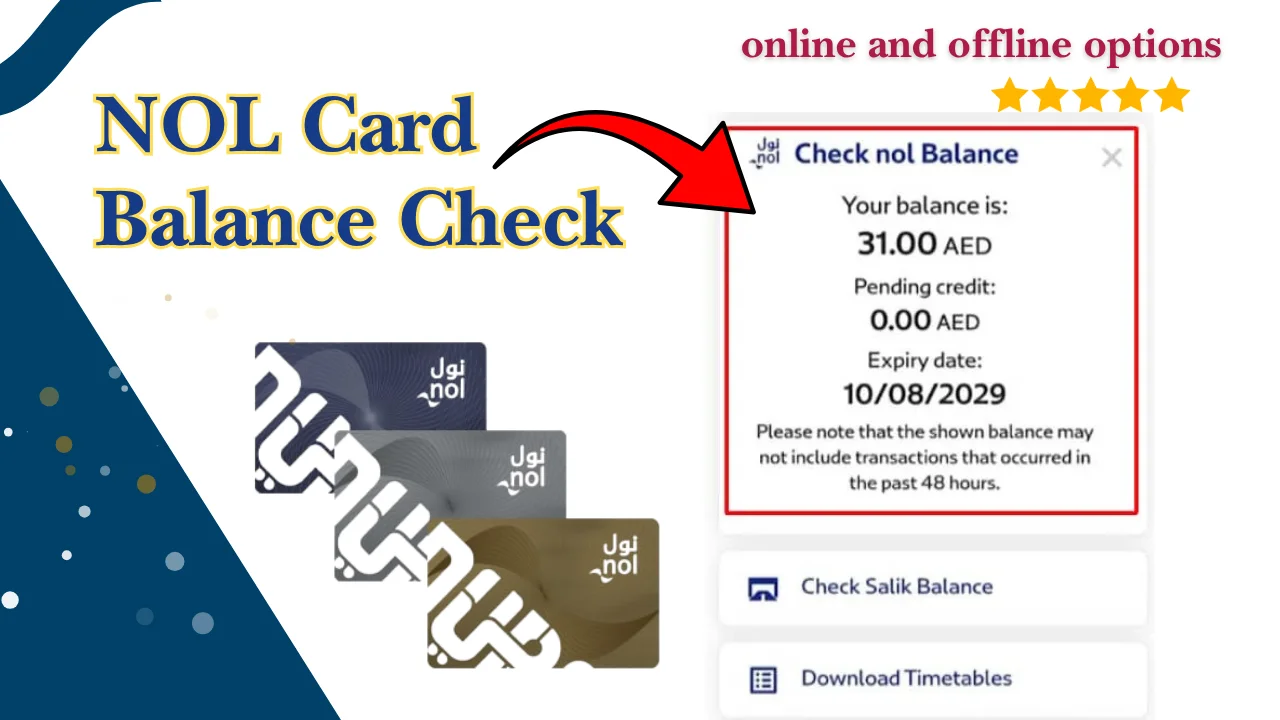
Keeping track of your NOL card balance is one of the easiest ways to avoid travel delays in Dubai. Whether you use the Dubai Metro every day, travel by bus, take the tram, or pay for public parking, knowing your available balance helps ensure a smooth journey.
Dubai Brief explains everything you need to know about NOL card balance check, including how to check your balance online, view your card status, access transaction history, understand different NOL card types, and choose the right card for your needs.
NOL Card Balance Check – Quick Balance Enquiry
Checking your NOL card balance takes only a few minutes. The Roads and Transport Authority (RTA) offers several official ways to view your available balance, recent transactions, and card status.
You can perform a NOL card balance check online using your card number or use other options such as the RTA mobile application, NOL Pay app, ticket vending machines, customer service centres, or metro station card readers.
Before travelling, always make sure your card has enough balance to avoid interruptions during your journey.
Check Your NOL Card Balance Using the Card Number
The easiest way to check your balance is by entering your NOL card number on the official RTA balance enquiry page.
Simply:
- Visit the official RTA NOL balance enquiry page.
- Enter the 10-digit NOL card number printed on your card.
- Complete the verification if required.
- Click the search or enquiry button.
- Your current balance will appear on the screen.
This method is available 24 hours a day and does not require registration.
View Available Balance and Card Status
Besides showing your available travel credit, the balance enquiry page also displays useful information about your card.
Depending on your card type, you may be able to see:
- Current available balance
- Card validity
- Active or inactive status
- Card expiry information
- Last update time
Checking your card status regularly helps identify problems before you start your journey.
What Is a NOL Card?
A NOL card is a smart contactless payment card issued by Dubai’s Roads and Transport Authority (RTA). It allows passengers to pay for travel across Dubai’s integrated public transport network without purchasing paper tickets for every trip.
The card stores electronic balance that is automatically deducted whenever you tap it at metro gates, buses, trams, or other participating services.
Different NOL cards are available for residents, tourists, students, senior citizens, and frequent commuters.
How the NOL Card Works in Dubai’s Public Transport System
The NOL card uses contactless smart card technology.
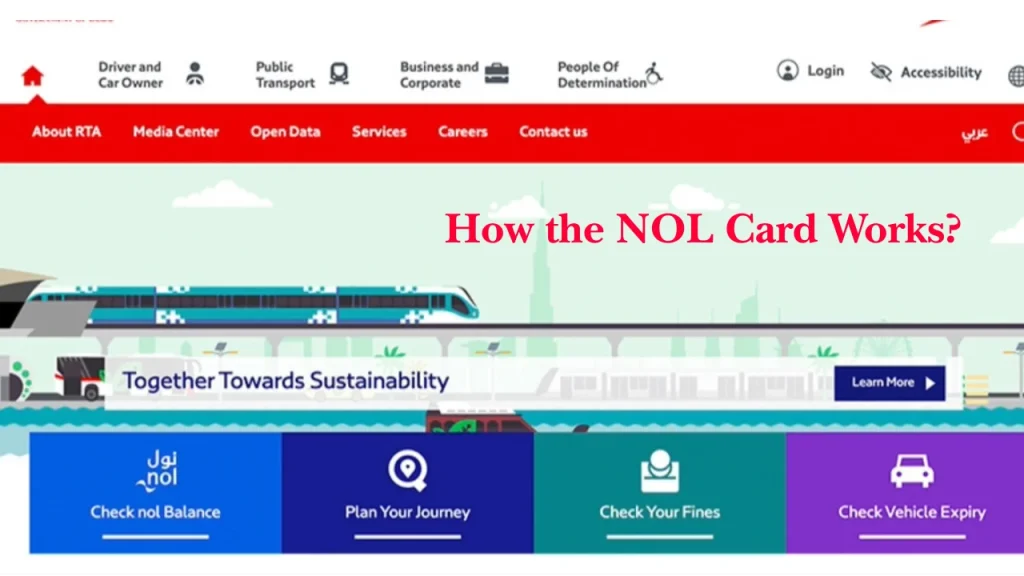
When you begin your journey, tap your card at the entry gate or card reader. At the end of the trip, tap again to complete your journey. The system automatically calculates the fare based on the travel zones and deducts the correct amount from your balance.
Because fares are calculated electronically, keeping sufficient credit on your card is essential.
Where You Can Use a NOL Card
The NOL card is accepted across multiple transport and payment services in Dubai.
Metro
The NOL card is the standard payment method for travelling on all Dubai Metro lines. Simply tap your card at the entry and exit gates.
Buses
All public buses in Dubai accept NOL cards. Passengers must tap when boarding and leaving the bus to ensure the correct fare is charged.
Trams
Dubai Tram services also use the NOL card system. Your fare is automatically calculated after each journey.
Water Transport
Many RTA-operated marine transport services accept NOL cards, including water buses, abras, and ferries on selected routes.
Public Parking
In many areas, your NOL card can be used to pay for RTA public parking instead of using cash or coins.
Retail Payments (Where Available)
Selected retail outlets, convenience stores, supermarkets, and restaurants accept eligible NOL cards for small-value purchases. Availability depends on participating merchants and card type.
Types of NOL Cards Explained
Dubai offers several NOL card options designed for different types of travellers.
Choosing the right card depends on how often you travel, whether you are a resident or tourist, and whether you qualify for discounted fares.
| NOL Card Type | Description |
| Silver NOL Card | Best for regular commuters, offers affordable travel with high stored-value capacity. |
| Gold NOL Card | Includes access to Gold Class cabins for passengers seeking greater comfort. |
| Personal (Blue) NOL Card | Registered card offering balance protection, personalised services, and concession eligibility. |
| Red Ticket | Suitable for tourists and occasional users making a limited number of journeys. |
| Virtual / Digital NOL Card | Digital version managed through supported mobile devices for contactless travel. |
| Special NOL Cards | Discounted cards available for eligible students, senior citizens, and People of Determination. |
NOL Card Types Comparison
Choosing the right NOL card depends on how often you travel, your budget, and whether you qualify for any special concessions. While all cards allow access to Dubai’s public transport system, they differ in terms of features, validity, purchase cost, and intended users.
Features, Cost, Validity and Best Use Cases
| Card Type | Main Features | Approximate Cost (AED) | Validity | Best For |
| Silver | Standard travel card, reloadable, high balance capacity | 25 (includes travel credit) | Up to 5 years | Daily commuters |
| Gold | Premium travel with Gold Class access | 25 (includes travel credit) | Up to 5 years | Business travellers and commuters seeking extra comfort |
| Personal (Blue) | Registered card, balance protection, concession eligibility | Registration fee may apply | Up to 5 years | Residents, students, families |
| Red Ticket | Limited journeys, suitable for temporary use | Low initial cost | Limited validity | Tourists and short-term visitors |
| Virtual NOL | Digital contactless payments through supported devices | Depends on setup | Subject to platform support | Smartphone users |
| Special NOL Cards | Discounted fares for eligible groups | Varies by category | As per issued card | Students, senior citizens, People of Determination |
Fees and eligibility may change. Always verify the latest information through the official RTA website.
Which NOL Card Should You Choose?
- If you travel on public transport every day, the Silver NOL Card is usually the most practical option because it combines affordability with long-term usability.
- The Gold NOL Card is suitable if you regularly use Gold Class cabins and prefer additional comfort during peak travel hours.
- Residents who want extra protection for their balance should consider the Personal NOL Card, especially because registered cards offer additional account services.
- Tourists visiting Dubai for only a few days may find the Red Ticket sufficient for their travel needs.
People who prefer digital payments can benefit from a Virtual NOL Card on compatible mobile devices, while eligible students, senior citizens, and People of Determination should apply for the appropriate concession card to receive discounted fares.
How to Check NOL Card Balance
The Roads and Transport Authority (RTA) provides several official ways to perform an RTA NOL card balance check online and offline. Whether you have internet access or not, you can easily view your available balance, card status, and, in some cases, your recent transaction history.
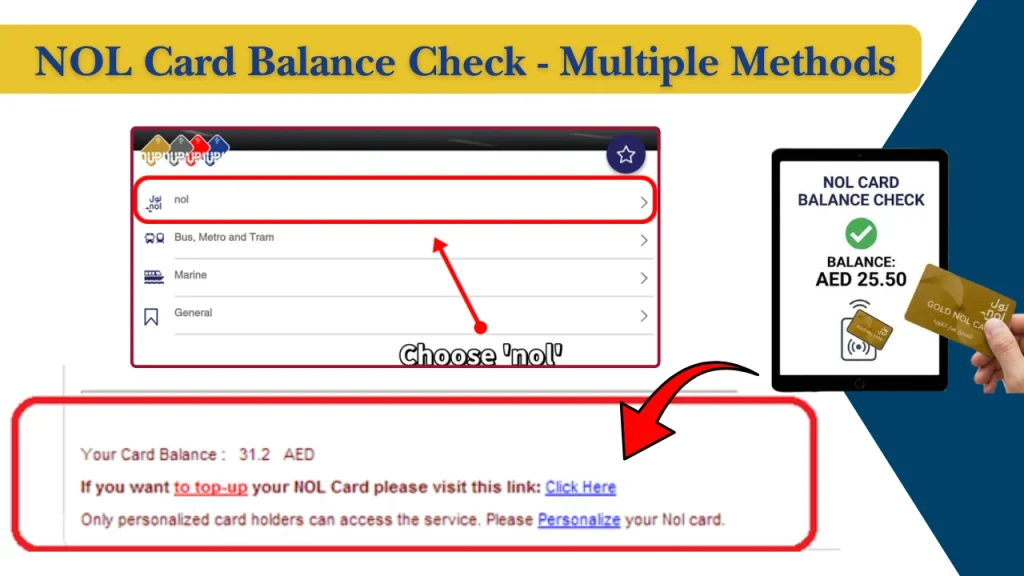
Below are the most reliable methods to check your NOL card balance in 2026.
Method 1: NOL Card Balance Check Online
The official RTA website is one of the quickest and easiest ways to check your NOL card balance. You only need your 10-digit NOL card number and an internet connection. The service is available 24 hours a day and can be accessed from your computer, tablet, or smartphone.
Step 1: Visit the Official RTA Website
Open your preferred web browser and visit the official RTA website. From the homepage, navigate to the NOL Card Balance Check or Balance Enquiry section.
Step 2: Enter Your NOL Card Number
Locate the balance enquiry form and enter your 10-digit NOL card number exactly as it appears on the front of your card.
Before continuing, carefully review the number to make sure there are no typing mistakes, as an incorrect card number may return an error or no results.
Step 3: Submit Your Balance Enquiry
After entering your card number:
- Complete the verification (if prompted).
- Click the Search, Check Balance, or Submit button.
- Wait a few seconds while the system processes your request.
Step 4: View Your NOL Card Details
Once the search is complete, your current card information will appear on the screen. Depending on your card type, you may see:
- Current available balance
- Card status (Active or Inactive)
- Card validity or expiry information
- Recent balance update
- Available travel credit
If your balance is low, you can recharge your NOL card immediately using one of the official recharge methods explained later in this guide.
Tip: Always check your NOL card balance before travelling, especially during peak hours, to avoid delays at metro gates or bus card readers.
Method 2: RTA NOL Card Balance Check via Official Mobile App
If you frequently use public transport, the official RTA mobile application offers a convenient way to check your balance.
Steps:
- Download the official RTA app from your device’s app store.
- Open the application.
- Sign in if required.
- Select NOL Services.
- Enter or scan your NOL card.
- View your available balance and card information.
The app may also allow you to recharge your card and manage other transport-related services.
Method 3: Check Balance Using the NOL Pay App
The official NOL Pay app provides additional digital services for compatible smartphones.
Steps:
- Install the NOL Pay application.
- Enable NFC if your device supports it.
- Open the app.
- Tap your physical NOL card against the phone.
- Wait while the app reads the card.
- View your balance, card details, and eligible services.
This is one of the easiest methods for users with NFC-enabled Android devices.
Method 4: Check NOL Card Balance via SMS
Some users prefer checking information without opening an app or website.
If SMS services are available for your card type:
- Open your phone’s messaging application.
- Follow the latest SMS format provided by the RTA.
- Send the message to the designated number.
- Wait for the balance response.
Availability of SMS services may vary, so always verify the latest instructions through official RTA channels.
Method 5: NOL Card Balance Check by Card Number
If you simply want to know your available balance, your card number is usually all you need.
Steps:
- Find the number printed on your NOL card.
- Visit the official enquiry page.
- Enter the card number.
- Submit your request.
- View your balance instantly.
This is one of the most commonly used methods because it does not require creating an account.
Method 6: Check Balance at Metro and Bus Station Ticket Machines
Ticket vending machines are available at most Dubai Metro stations and many major bus stations.
Steps:
- Visit any ticket vending machine.
- Place your NOL card on the reader.
- Wait for the machine to detect the card.
- Your available balance appears on the screen.
Some machines also allow immediate top-ups after checking your balance.
Method 7: Check Balance at Metro Fare Gates and Card Readers
Every time you enter or exit a metro station, the fare gate briefly displays your remaining balance.
Steps:
- Tap your NOL card at the entry gate.
- Look at the display screen.
- Your remaining balance appears for a few seconds.
- Continue your journey as normal.
This method is particularly useful for daily commuters.
Method 8: Check Balance at Customer Happiness Centres
Customer Happiness Centres provide assistance for many RTA services.
Steps:
- Visit your nearest Customer Happiness Centre.
- Present your NOL card to a customer service representative.
- Request a balance enquiry.
- The representative will check your balance and answer any related questions.
This method is useful if you need help with damaged cards, replacement requests, or account issues.
Method 9: Check Balance at Authorised Retail Shops
Several authorised retail partners across Dubai offer NOL services.
Steps:
- Visit an authorised retailer.
- Hand your NOL card to the cashier.
- Request a balance check.
- The cashier will scan your card.
- Your available balance will be displayed.
Many retailers also offer recharge services.
Method 10: Check Balance Using the Official Virtual Assistant
The RTA’s official virtual assistant can guide users through various transport services.
Steps:
- Visit the official RTA website.
- Open the virtual assistant.
- Select NOL-related services.
- Follow the prompts.
- Enter your card information if requested.
- View your available balance or receive guidance for checking it.
This method is useful for users who need assistance while using online services.
Comparison of All NOL Card Balance Check Methods
With so many options available, choosing the right balance check method depends on your location, internet access, and personal preference.
The table below compares the most popular methods.
| Method | Speed | Internet Required | Availability | Best For |
| Official RTA Website | Very Fast | Yes | 24/7 | Most users |
| Official RTA Mobile App | Very Fast | Yes | 24/7 | Residents using smartphones |
| NOL Pay App | Very Fast | Yes | 24/7 | NFC-enabled smartphone users |
| SMS | Fast | No | Depends on service availability | Basic mobile phone users |
| Card Number Enquiry | Very Fast | Yes | 24/7 | Quick online balance checks |
| Ticket Vending Machine | Fast | No | Metro and bus stations | Travellers already at stations |
| Metro Fare Gates | Instant | No | During travel | Daily commuters |
| Customer Happiness Centre | Moderate | No | Operating hours | Users needing assistance |
| Authorised Retail Shops | Moderate | No | Shop opening hours | Local shoppers |
| Official Virtual Assistant | Fast | Yes | 24/7 | Online users requiring guidance |
For most people, the official RTA website or the NOL Pay app provides the quickest and easiest balance enquiry experience.
How to Check NOL Card Transaction History
Reviewing your transaction history helps you monitor your travel expenses, verify fare deductions, and confirm recent top-ups.
- Open the official RTA website or mobile application.
- Sign in to your account or access supported NOL services.
- Select your registered NOL card.
- View recent trips, recharge history, fare deductions, and payment records.
Checking your transaction history regularly makes it easier to spot incorrect deductions, monitor your travel costs, and keep your card ready for future journeys.
What Is the Minimum NOL Card Balance Required?
Although your card may still show a small remaining balance after a journey, it is always recommended to top it up before travelling, especially during busy hours or if you plan to make multiple trips.
Minimum Balance Required to Travel
To begin a journey on the Dubai Metro, your NOL card generally requires a minimum balance of AED 7.50.
If your balance is below this amount, the fare gate may not allow you to enter the station.
For convenience, many regular commuters keep a balance of at least AED 20 to AED 50 to avoid frequent recharges.
What Happens If Your Balance Is Too Low?
If your available balance is below the required minimum, you may experience the following:
- Metro gates may not open.
- Bus card readers may reject your card.
- You may need to recharge before travelling.
- Your journey could be delayed during peak hours.
Checking your balance before leaving home can save time and help avoid unnecessary inconvenience.
How to Recharge Your NOL Card
Recharging your NOL card is quick and straightforward. The RTA offers several convenient options, allowing users to add credit online, through mobile applications, at metro stations, and at authorised retailers.
Recharge Online
The official RTA website allows users to recharge eligible NOL cards from anywhere.
Steps:
- Visit the official RTA website.
- Open the NOL recharge section.
- Enter your NOL card number.
- Select the recharge amount.
- Complete the payment using your preferred payment method.
- Follow any activation instructions if required before using the balance.
Recharge Using the Mobile App
You can also recharge your card through the official RTA app or NOL Pay app.
Steps:
- Open the application.
- Sign in if required.
- Select your NOL card.
- Choose Top Up or Recharge.
- Enter the recharge amount.
- Complete your payment securely.
Depending on your device and card type, you may need to activate the recharge by tapping your card using NFC or at a station reader.
Recharge at Metro Stations
Every Dubai Metro station provides recharge facilities.
You can:
- Visit the ticket office.
- Use a self-service ticket vending machine.
- Add your preferred amount.
- Pay using accepted payment methods.
- Activate the recharge if required.
This is one of the most popular options for daily commuters.
Recharge at Retail Outlets
Many authorised retail stores across Dubai provide NOL recharge services.
Simply:
- Visit a participating retailer.
- Provide your NOL card.
- Tell the cashier your preferred recharge amount.
- Complete the payment.
- Collect your receipt.
This option is useful if you are already shopping nearby.
Recharge Using Ticket Vending Machines
Ticket vending machines are available at most metro stations.
To recharge:
- Place your NOL card on the reader.
- Select Recharge.
- Choose the amount you wish to add.
- Complete your payment.
- Wait for confirmation before removing your card.
The entire process usually takes only a few minutes.
Benefits of Regular NOL Card Balance Checks
Checking your balance regularly is a simple habit that can make travelling much more convenient..
Avoid Travel Interruptions
Knowing your available balance before travelling reduces the chance of being stopped at metro gates or bus card readers due to insufficient credit.
Track Spending
Reviewing your balance and transaction history allows you to understand how much you spend on transport each week or month.
This is especially useful for families and daily commuters managing a travel budget.
Detect Incorrect Fare Deductions
If something looks incorrect, you can contact the RTA with your journey details for further assistance.
Manage Multiple Trips Efficiently
If you regularly travel between work, school, shopping centres, or tourist attractions, maintaining sufficient balance helps ensure all your trips continue without interruption.
Many users also keep track of other financial services such as ATM balance check, transport cards, and digital wallets to better manage their daily expenses.
Common NOL Card Balance Check Problems and Solutions
Most balance enquiries are completed without any issues. However, you may occasionally encounter technical or card-related problems.
| Problem | Solution |
| Website not loading | Refresh the page, clear your browser cache, or try another browser or device. |
| Invalid card number | Carefully check all digits before submitting your enquiry. |
| Balance not updating | Wait a short period after recharging and then check again or activate the recharge if required. |
| SMS not received | Verify that the correct SMS format and number are being used, and ensure your mobile network is working properly. |
| Mobile app errors | Update the application to the latest version and restart your device before trying again. |
| Card reader or machine not detecting the card | Clean the card, place it flat on the reader, or try another ticket machine or station. |
| Transaction history not showing | Sign in to the correct account and allow recent transactions time to appear in the system. |
| Card expired or blocked | Visit an RTA Customer Happiness Centre to request assistance or card replacement. |
If the problem continues after trying these solutions, contact RTA customer support for further guidance.
Common Mistakes to Avoid During NOL Card Balance Enquiry
Most balance check problems occur because of small errors that can easily be avoided.
Common mistakes include:
- Entering the wrong 10-digit NOL card number.
- Checking your balance immediately after an online recharge before it has been processed or activated.
- Ignoring your card’s expiry date.
- Using unofficial balance enquiry websites instead of official RTA services.
Avoiding these mistakes will help ensure you receive accurate balance information every time.
Tips for Managing Your NOL Card Efficiently
A few simple habits can help you make the most of your NOL card while reducing the chances of travel interruptions.
- Enable digital card features on compatible smartphones for quicker access and easier management.
- Keep enough travel balance on your card, especially if you commute daily.
- Register your Personal NOL Card to help protect your remaining balance if the card is lost or stolen.
- Check your balance before travelling during peak hours to avoid delays at station gates.
- Review your recharge history regularly to confirm that payments have been successfully processed.
- If you are visiting the emirate for sightseeing, plan your journeys in advance, as a well-managed NOL card makes travelling between popular things to do in Dubai much more convenient.
Just as people regularly perform a lulu balance check for shopping cards or a prepaid card inquiry for other stored-value cards, checking your NOL card balance before travelling is a smart routine that ensures smooth and hassle-free journeys across Dubai’s public transport network.
NOL Card Validity, Expiry and Replacement
Like any smart travel card, a NOL card has a validity period. Checking your card’s expiry date and keeping it in good condition helps prevent unexpected travel disruptions. If your card is lost, stolen, or damaged, the RTA provides options to replace eligible cards and, in many cases, recover the remaining balance.
How to Check Whether Your NOL Card Is Valid
You can verify your card’s validity using several official methods:
- Check the card details through the official RTA website.
- View the card information in the RTA app or NOL Pay app.
- Use a ticket vending machine at a metro station.
- Visit an RTA Customer Happiness Centre for assistance.
If your card is close to expiry, plan to replace it before it becomes invalid.
Card Expiry Period
Most standard NOL cards are valid for up to five years from the date of issue. However, the validity period may vary depending on the card type.
It is a good idea to check your card’s expiry date periodically, particularly if you do not use it regularly.
Lost or Stolen NOL Card
If your registered Personal (Blue) NOL Card is lost or stolen:
- Report the loss to the RTA as soon as possible.
- Request that the card be blocked to prevent unauthorised use.
- Apply for a replacement card through the available RTA channels.
- Follow the instructions provided by the customer service team.
Reporting the loss quickly helps protect your remaining balance.
How to Replace a Damaged Card
If your card no longer works because it is physically damaged:
- Visit an RTA Customer Happiness Centre or another authorised service location.
- Present your damaged card if possible.
- Submit a replacement request.
- Pay any applicable replacement fee.
- Receive your new card after processing.
Avoid bending, cutting, or exposing your card to excessive heat, as this may damage the internal chip.
Can You Recover the Remaining Balance?
For registered Personal NOL Cards, the remaining balance can generally be transferred to a replacement card after verification.
For anonymous or unregistered cards, balance recovery may be limited or unavailable. Registering your eligible card provides additional protection if it is ever lost or damaged.
Conclusion
Performing a regular NOL card balance check is one of the simplest ways to make travelling around Dubai easier and more convenient. Whether you travel by metro, bus, tram, water transport, or use your card for public parking and selected retail purchases, checking your balance before leaving home helps prevent unnecessary delays.
Always use official RTA services for balance enquiries, recharges, and account management to ensure your information remains accurate and secure.
FAQs
How do I perform an RTA NOL card balance check?
You can perform an RTA NOL card balance check using the official RTA website, the RTA mobile app, the NOL Pay app, metro station ticket machines, fare gates, or authorised service centres.
Can I check my NOL card balance using only the card number?
Yes. The official online balance enquiry service only requires your 10-digit NOL card number for most balance checks.
What is the minimum balance required to travel?
A minimum balance of AED 7.50 is generally required to begin a journey on the Dubai Metro.
How often is the balance updated after a recharge?
Updates are usually reflected shortly after the recharge has been processed. Some online top-ups may require activation before the new balance becomes available.
Can I view my transaction history online?
Yes. The official RTA services allow eligible users to view recent trips, recharge history, and fare deductions.
Can I recharge my NOL card online?
Yes. Eligible NOL cards can be recharged through the official RTA website and supported mobile applications.
What should I do if my NOL card is lost or stolen?
Report the loss to the RTA immediately, request that the card be blocked, and apply for a replacement if your card is eligible.
Where can I buy a new NOL card?
New NOL cards are available at Dubai Metro stations, bus stations, Customer Happiness Centres, authorised retailers, and other approved sales locations.
Which NOL card is best for tourists?
The Red Ticket is generally the most suitable option for tourists and short-term visitors making a limited number of journeys.
Which NOL card is best for daily commuters?
The Silver NOL Card is the preferred choice for most daily commuters because it offers good value, easy recharging, and long-term usability.
Are there discounts available for students, senior citizens or People of Determination?
Yes. Eligible users can apply for concession NOL cards that provide discounted public transport fares, subject to the applicable eligibility requirements.
Why is my NOL card balance not showing correctly?
Possible reasons include delayed recharge processing, entering an incorrect card number, temporary technical issues, or a damaged or expired card. If the issue continues, contact the RTA for assistance.
Can I use my NOL card for parking and retail purchases?
Yes. Eligible NOL cards can be used for RTA public parking and at selected participating retail outlets across Dubai.