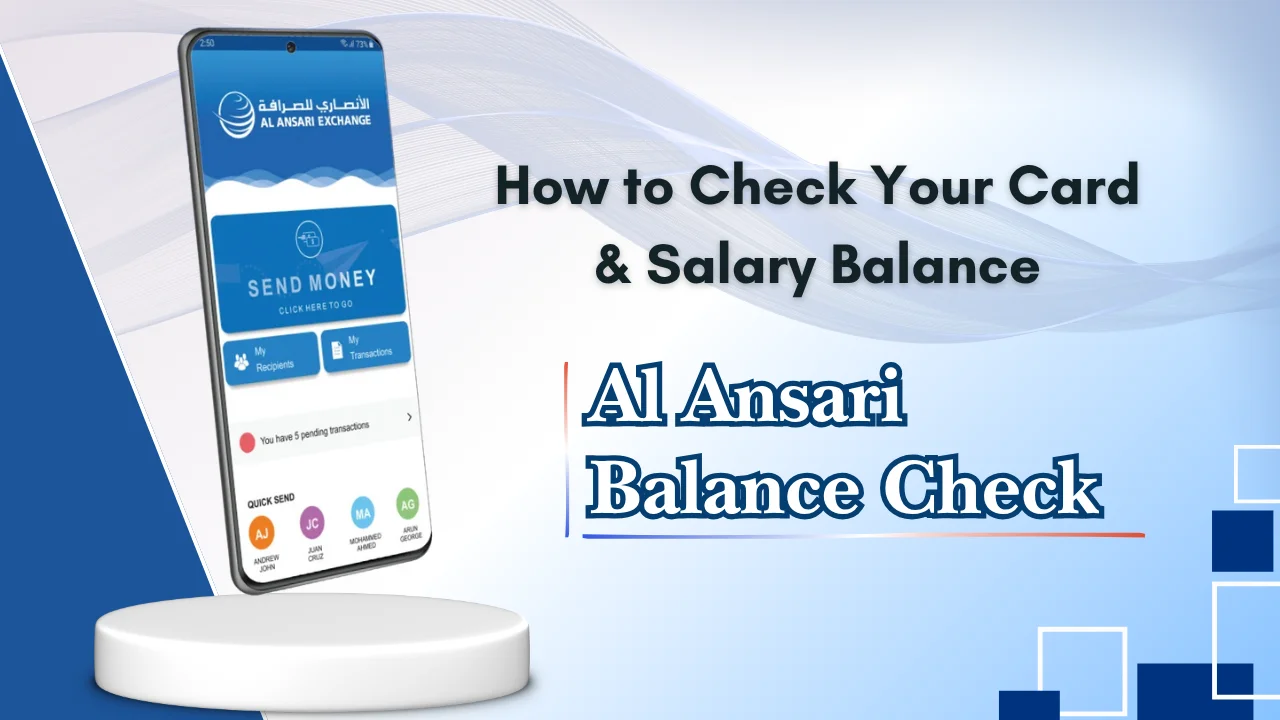
Keeping track of your salary and card balance is important for managing your monthly expenses in the UAE.
Whether you receive your salary through a salary card or use a prepaid card for everyday transactions, knowing how to perform an Al Ansari balance check helps you stay informed about your available funds and avoid payment issues.
Dubai Brief has covered Top 7 useful and convenient methods to check your Al Ansari Balance in simple steps, along with useful tips, common issues, fees, and security advice for UAE residents.
What Is Al Ansari Balance Check?
An Al Ansari balance check is the process of viewing the available money linked to your salary card, prepaid card, or eligible account. It allows cardholders to confirm salary deposits, monitor spending, and ensure they have enough funds before making purchases or withdrawing cash.
Overview of the Balance Enquiry Service
The balance enquiry service allows users to access their card balance through different channels, depending on the type of card they hold. Most balance checks can be completed within a few minutes using online services, mobile apps, ATMs, or customer support.
The service is available throughout the UAE and is commonly used by employees who receive salaries through employer-issued salary cards.
About the Salary Card
Salary cards provide employees with a convenient and secure way to receive and manage their monthly wages. They reduce the need to carry cash and make salary payments faster and more transparent.
Many UAE employers issue salary cards to workers who may not have a traditional bank account, making them an important financial tool for thousands of residents.
Key Features and Benefits
Salary cards offer several practical benefits for everyday financial management.
Some of the main features include:
- Monthly salary deposited directly onto the card
- Cash withdrawals from supported ATMs
- Secure card-based payments
- Balance enquiry through multiple channels
- Faster salary access
- Safer than carrying large amounts of cash
- Easy spending tracking
- Suitable for local and international purchases where accepted
Many users also compare different salary card services while searching for Lulu balance check, depending on the card issued by their employer.
Salary Card vs Payroll Card
Although the terms are often used interchangeably, there can be slight differences between salary cards and payroll cards.
| Feature | Salary Card | Payroll Card |
| Purpose | Receive employee salary | Receive salary and other payroll payments |
| Issued By | Financial service provider or bank | Employer through authorised provider |
| Monthly Salary Deposit | Yes | Yes |
| ATM Withdrawals | Yes | Yes |
| Retail Purchases | Yes | Yes |
| Online Balance Check | Usually available | Usually available |
Why It Is Important to Check Your Balance Regularly
Checking your balance regularly helps you avoid payment problems and keeps you informed about your financial situation.
Some of the main reasons include:
- Confirm Salary Credits: Make sure your monthly salary has been credited successfully.
- Manage Everyday Expenses: Keep enough money available for shopping, transport, and daily needs.
- Pay Rent and Utility Bills on Time: Check available funds before making important payments.
- Monitor Monthly Spending: Track your expenses and avoid overspending.
- Plan Family Transfers and Budgeting: Know how much you can safely send to family members.
- Avoid Declined Transactions: Reduce the risk of card payments being declined due to insufficient balance.
- Detect Unauthorised Transactions: Identify suspicious deductions as early as possible.
- Maintain Better Financial Control: Build better budgeting habits by checking your balance regularly.
Many users also perform a NBAD balance enquiry alongside their regular balance checks if they use a salary card issued under a different payroll programme.
Ways to Check Your Al Ansari Balance
There are several convenient methods available for completing an Al Ansari exchange balance check. The right option depends on your card type, internet availability, and personal preference.
Overview of Available Balance Check Methods
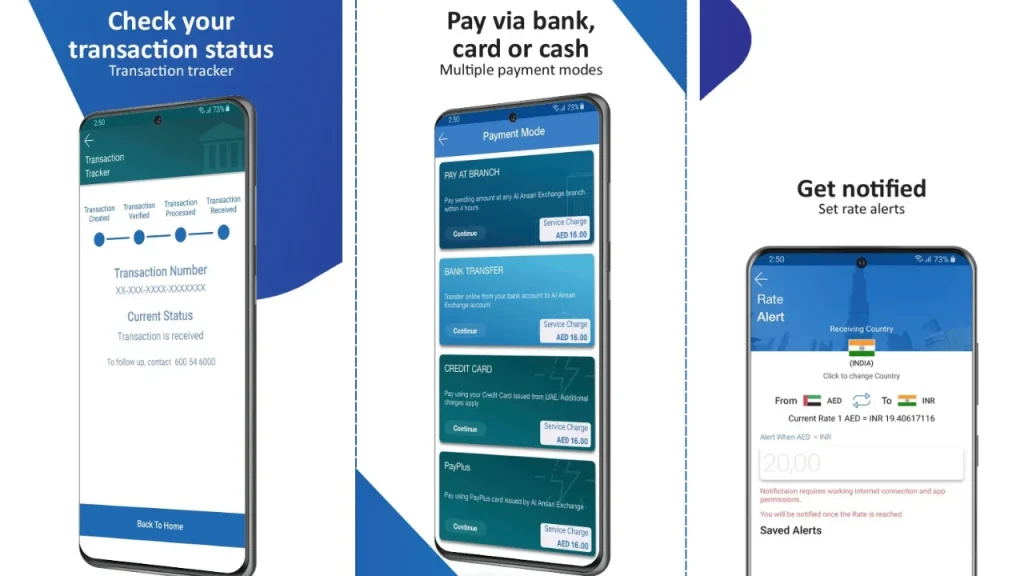
The following table summarises the most common balance enquiry options available to UAE users.
| Balance Check Method | Best For | Short Description |
| Official Online Portal | Fast online access | Check your card balance securely through the official web portal. |
| Salary Balance Portal | Salary card holders | View salary credits and available balance online. |
| Mobile App | Everyday users | Access your balance, transaction history and card services from your phone. |
| ATM Balance Check | Cash withdrawal users | Perform an al ansari exchange atm card balance check while using supported ATMs. |
| SMS Service | Users without internet | Receive balance information through supported SMS services. |
| USSD Service | Quick enquiries | Check available balance using short service codes where available. |
| Self-Service Kiosk | Branch visitors | View your balance using digital kiosks available at selected locations. |
| Customer Support | Assistance required | Speak with customer support to verify your balance after identity verification. |
Top 7 Useful Methods To Check Al Ansari Balance Online
There are several simple ways to complete an Al Ansari card balance check in the UAE.
Choose the option that best suits your needs and always use official channels whenever possible.
1: Al Ansari Balance Check Online
If your card supports online access, you can view your available balance from any device with an internet connection.
Using the Official Online Portal
To get started:
- Open the official balance enquiry portal.
- Enter your card details or the requested information.
- Complete the verification process.
- View your available balance and recent account information.
Always make sure you are using the official website and avoid entering your card details on unknown websites.
Step-by-Step Online Balance Check Process
Follow these steps for a smooth balance enquiry:
- Visit the official balance check page.
- Select the balance enquiry option.
- Enter your card number or account details.
- Verify your identity if prompted.
- Submit your request.
- Your available balance will appear on the screen.
The process usually takes only a few minutes.
Requirements Before Checking Your Balance Online
Before starting, make sure you have:
- A supported salary or prepaid card
- A stable internet connection
- Your card number or account information
- Login credentials, if required
- A secure device for accessing the portal
Having these details ready helps complete the enquiry without delays.
Benefits of Online Balance Enquiry
Online balance checking offers several advantages:
- Available from almost anywhere
- Saves time compared to visiting a branch
- Quick access to balance information
- Easy to use on computers and smartphones
- Helps monitor salary deposits
- Reduces unnecessary travel
2: Al Ansari Salary Balance Check Online
Employees receiving salaries through eligible salary cards can check whether their monthly wages have been credited without waiting for an SMS or visiting an ATM.
How to Check Your Salary Balance
The salary balance checking process is straightforward.
Generally, you need to:
- Access the official salary balance service.
- Enter your card or account details.
- Complete any required verification.
- View your available salary balance.
Many employees perform this check immediately after payday.
Common Issues During Online Salary Checks
Sometimes users may experience temporary issues, including:
- Incorrect card details entered
- Slow internet connection
- Website maintenance
- Temporary server problems
- Salary not yet credited
- Session timeout
Most issues can be resolved by checking the information entered or trying again later.
3: Al Ansari Mobile App Balance Check
Many users prefer checking their balance through the mobile application because it provides quick access while travelling or at work.
How to Check Your Balance Using the Mobile App
The process is simple:
- Install the official mobile application.
- Sign in using your registered account.
- Open the dashboard.
- Select your card or account.
- View your available balance and recent transactions.
The app also allows users to manage several account-related services from one place.
Features and Benefits of the Mobile App
Depending on your account type, the application may provide:
- Instant balance enquiries
- Transaction history
- Card management options
- Money transfer services
- Notifications
- Secure login features
- Profile management
4: ATM Balance Check
For users who prefer offline services, ATM balance enquiries remain one of the easiest options.
Step-by-Step ATM Balance Enquiry
- Insert your card into a supported ATM.
- Enter your PIN.
- Select “Balance Enquiry”.
- Wait for the balance to appear.
- Print a receipt if needed.
- Remove your card safely before leaving.
Common ATM Errors and Solutions
Some common ATM issues include:
| Problem | Suggested Solution |
| Incorrect PIN | Try again carefully or reset your PIN if necessary. |
| Card not recognised | Check whether the card is inserted correctly. |
| ATM temporarily unavailable | Use another nearby ATM. |
| Transaction timeout | Wait a few minutes before trying again. |
| Card retained | Contact customer support immediately. |
5: SMS and USSD Balance Check
SMS and USSD services provide another convenient option for users who may not have internet access.
How SMS Balance Enquiry Works
Where supported, users can request their balance by sending a registered SMS in the required format.
Typically, the process involves:
- Opening the messaging application.
- Sending the required message to the designated number.
- Waiting for the reply.
- Reading the balance information received.
Service availability depends on your card programme.
How to Use USSD for Balance Checks
If USSD services are available:
- Dial the assigned USSD code.
- Follow the on-screen menu.
- Enter any requested information.
- View your available balance.
USSD services are useful because they usually do not require internet access.
6: Self-Service Kiosk and Branch Balance Enquiry
Users who prefer face-to-face assistance can check their balance through self-service kiosks or by visiting a branch.
Using Self-Service Kiosks
Digital kiosks are designed to provide quick account services.
After verifying your card, you may be able to:
- Check available balance
- View recent transactions
- Print basic account information
- Access selected card services
Kiosks are generally faster than waiting for in-person assistance.
Getting Assistance at a Branch
Branch staff can assist customers who need help with:
- Balance enquiries
- Card-related questions
- Account verification
- PIN assistance
- General account support
Remember to bring your identification and card when visiting.
7: Customer Support Balance Enquiry
If online or self-service methods are unavailable, customer support can help verify your balance after completing identity checks.
Balance Check by Phone
Customer support representatives may assist with balance enquiries once your identity has been confirmed.
Be prepared to answer security questions before any account information is shared.
Information Required Before Contacting Support
Having the following information ready can speed up the process:
- Registered mobile number
- Card number
- Emirates ID or other identification
- Date of birth, if requested
- Recent transaction details, where applicable
Using the appropriate balance enquiry method and following basic security precautions will help you complete your al ansari salary card balance check quickly and safely.
Available Balance vs Current Balance Explained
Many users confuse available balance with current balance, but the two terms are different.
Current Balance is the total amount of money in your account before pending transactions are processed.
Available Balance is the amount you can actually spend or withdraw immediately after pending payments or temporary holds have been considered.
For example, if your account contains AED 2,000 but AED 300 is reserved for a pending payment, your:
- Current Balance = AED 2,000
- Available Balance = AED 1,700
Understanding this difference helps prevent declined transactions and unnecessary confusion.
Common Problems While Checking Your Balance
Common situations include:
- Salary Not Yet Credited: Employers may still be processing salary payments.
- Pending Transactions: Recent purchases or withdrawals may not yet appear.
- Forgotten Login Credentials or PIN: Incorrect login details can prevent account access.
- App or Server Downtime: Temporary maintenance may interrupt online services.
- ATM Transaction Errors: Some ATMs may experience temporary network problems.
- Incorrect Card Linking: Using the wrong card details may prevent balance enquiries.
- Unauthorised Transactions: Unexpected deductions should be reported immediately.
- How to Resolve Common Balance Check Issues: Verify your details, try another approved method, wait a short time for system updates, or contact customer support if the issue continues.
Charges, Fees and Limitations
Most balance enquiry methods are either free or involve only minimal charges. However, fees may vary depending on your card programme, ATM network, or service provider.
| Balance Check Method | Typical Charges | Notes |
| Official Online Portal | Usually Free | Internet connection required. |
| Mobile Application | Usually Free | Mobile data charges may apply. |
| SMS Balance Enquiry | May Apply | Standard SMS charges depend on your mobile operator. |
| USSD Service | May Apply | Charges vary by service provider. |
| Supported ATM | Usually Free or Low Fee | Fees may apply when using certain ATM networks. |
| Self-Service Kiosk | Usually Free | Available at selected locations only. |
| Customer Support | Usually Free | Charges may apply depending on your telephone provider. |
Security Tips for Safe Balance Checks
Keeping your account secure is just as important as checking your balance. A few simple habits can protect your salary and personal information.
Follow these recommendations:
- Use only official websites and mobile applications.
- Never share your PIN, password, or one-time verification codes.
- Change your password regularly.
- Avoid logging in on public computers.
- Do not save passwords on shared devices.
- Report lost or stolen cards immediately.
Additional Card Services
Besides checking your balance, eligible cardholders may also have access to several useful financial services.
Sending Money Internationally
Many users send money to family members living overseas. Depending on your card and account type, international money transfer services may be available through approved channels.
Before sending money, compare exchange rates and applicable transfer charges.
Checking Exchange Rates
Exchange rates change throughout the day. Reviewing the latest rates before transferring funds helps you understand how much the recipient will receive.
This is especially useful for employees who regularly send part of their salary abroad.
Managing Salary and Transfers
Many digital platforms allow users to monitor salary deposits, review previous transactions, and manage transfers from one place.
Checking your account regularly also helps identify any unexpected deductions.
Estimating End-of-Service Benefits
Employees leaving a job in the UAE may wish to estimate their end-of-service benefits before their final settlement.
Understanding your expected payment can make financial planning easier while changing employment.
Balance Check for Businesses
Businesses that manage employee salary payments also benefit from regular balance monitoring and digital payment services.
Some advantages include:
- Better salary payment tracking
- Faster payroll verification
- Reduced paperwork
- Improved payment transparency
- Easier financial record management
- More efficient payroll administration
Benefits of Digital Balance Enquiry Services
Digital balance checking has become the preferred option for many UAE residents because it is fast and convenient.
Some key benefits include:
- Available from almost anywhere
- Saves time compared to visiting a branch
- Easy access through smartphones
- Better financial planning
- Faster salary confirmation
- Reduced waiting time
- Improved transaction monitoring
- More secure than carrying printed records
Quick Facts About Al Ansari Balance Check
| Feature | Details |
| Main Purpose | View available card or salary balance |
| Online Access | Available through official channels |
| Mobile App | Supported for eligible users |
| ATM Access | Available on supported ATM networks |
| SMS/USSD | Available for selected services |
| Branch Support | Yes |
| Customer Support | Available after identity verification |
| Best Time to Check | After salary credit or before major transactions |
Conclusion
Completing an Al Ansari balance check is a simple way to stay informed about your salary and daily finances. Whether you prefer using the online portal, mobile application, ATM, SMS service, or customer support, each method allows you to access your balance quickly and securely.
By using official services and following basic security practices, you can keep your financial information safe while managing your salary with confidence.
FAQs
How can I check my Al Ansari balance online?
You can check your balance by visiting the official online balance enquiry portal, entering your card details, completing verification, and viewing your available balance.
Can I check my balance using the mobile app?
Yes. Eligible users can sign in to the official mobile application to view their balance, transaction history, and other account information.
Can I check my balance by SMS or USSD?
Yes, if your card programme supports these services. Follow the instructions provided with your card to use SMS or USSD balance enquiries.
What should I do if my balance is incorrect?
First, check for pending transactions or delayed salary credits. If the issue continues, contact customer support for assistance.
How do I reset my PIN or login details?
Use the official password or PIN recovery option available through the authorised portal or contact customer support for verification and assistance.
What is the difference between available balance and current balance?
The current balance shows the total funds in your account, while the available balance shows the amount that can be spent or withdrawn after pending transactions are considered.
How can I contact customer support for balance enquiries?
You can contact customer support through the official helpline, approved customer service channels, or by visiting a nearby branch with your identification and card for assistance.