Prepaid gift cards have become one of the most convenient payment options for shopping, gifting, and managing spending in the UAE. Whether you receive one as a present, purchase it for personal budgeting, or use it for business rewards, understanding how it works helps you get the most value from your card.
Dubai Brief 2026 guide explains everything you need to know about prepaid gift cards in the UAE, including different card types, activation methods, balance checking options, security tips, and common issues you may encounter.
Whether you are a resident, visitor, or business owner, this guide provides simple, practical information to help you use your prepaid card with confidence.
What Is a Prepaid Gift Card?
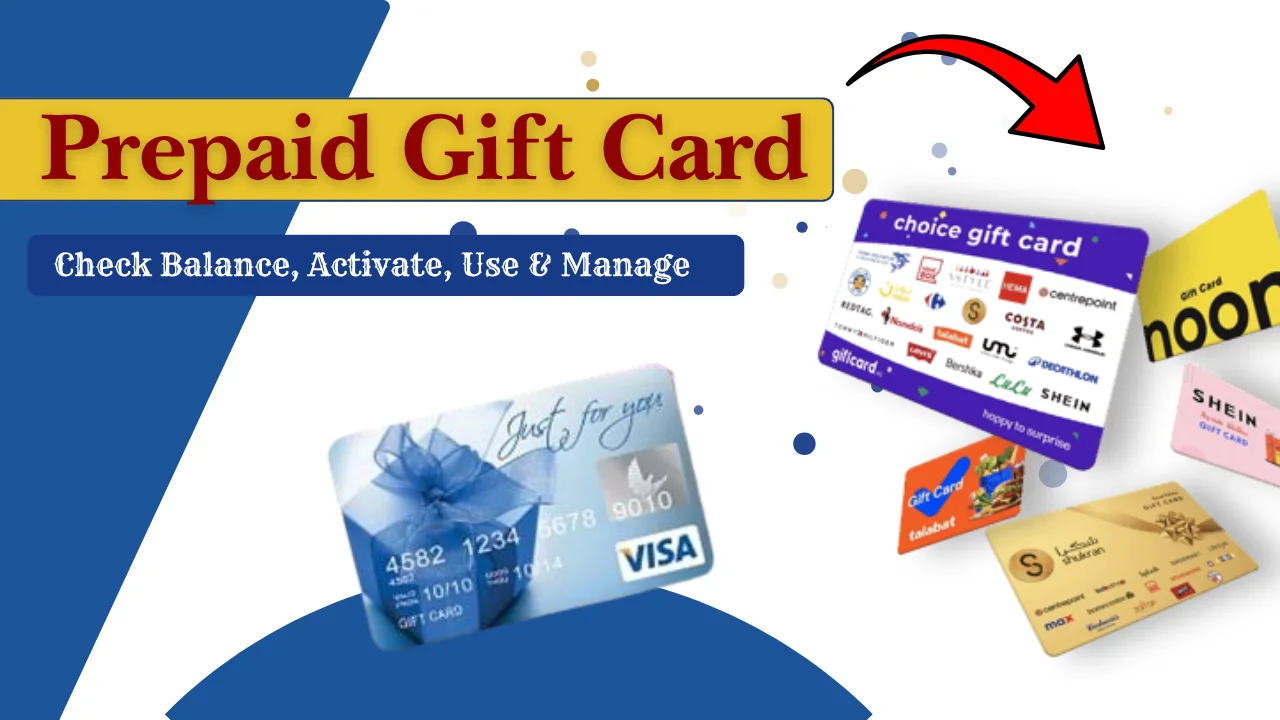
A prepaid gift card is a payment card that is loaded with a specific amount of money before it can be used. Instead of being linked to a bank account or credit facility, the card allows you to spend only the available balance stored on it.
Prepaid gift cards are commonly purchased as gifts, employee rewards, promotional incentives, or budgeting tools. Many can be used at multiple merchants, while others are accepted only at selected stores or brands.
These cards are popular across the UAE because they offer a convenient way to make purchases without carrying cash or sharing banking information.
How a Prepaid Gift Card Differs from a Debit or Credit Card
Although prepaid gift cards may look similar to debit or credit cards, they work differently. Understanding these differences helps you choose the right payment option.
| Feature | Prepaid Gift Card | Debit Card | Credit Card |
| Linked to Bank Account | No | Yes | No |
| Borrowed Money | No | No | Yes |
| Spending Limit | Loaded balance only | Available account balance | Credit limit |
| Monthly Bills | No | No | Yes |
| Credit Check Required | Usually No | No | Usually Yes |
| Best For | Gifts, budgeting, rewards | Everyday banking | Flexible borrowing |
A prepaid gift card is ideal for people who want to control spending, while debit and credit cards are designed for regular banking and borrowing purposes.
Open-Loop vs Closed-Loop Gift Cards
Prepaid gift cards generally fall into two categories.
Open-loop gift cards
These cards can usually be used at many participating merchants that accept the supported payment network. They are suitable for shopping across multiple retailers, both online and in physical stores.
Closed-loop gift cards
These cards are issued for a specific retailer or business and can only be used within that merchant’s stores or website. They are often purchased as gifts for people who frequently shop at a particular retailer.
Types of Prepaid Gift Cards
Prepaid gift cards are available in several forms to suit different shopping needs and gifting occasions. Some are designed for everyday purchases, while others are intended for business rewards or promotional campaigns.
| Type of Gift Card | Description |
| Physical Prepaid Gift Cards | Plastic cards that can be used for in-store and eligible online purchases. |
| Virtual Prepaid Gift Cards | Digital cards issued electronically for secure online shopping. |
| Digital Gift Cards | Gift cards delivered instantly by email or mobile for quick gifting. |
| Multi-Store Gift Cards | Accepted at multiple participating retailers instead of a single store. |
| Retail-Specific Gift Cards | Can only be redeemed at one specific retailer or brand. |
| Reward and Promotional Gift Cards | Distributed as loyalty rewards, giveaways, or promotional incentives. |
| Corporate and Business Gift Cards | Used by organisations for employee recognition, customer rewards, and business incentives. |
How to Activate a Prepaid Gift Card
Most prepaid gift cards must be activated before they can be used. Activation confirms that the card is ready for transactions and helps protect it from unauthorised use.
Depending on the card issuer, activation may be completed online, through a mobile application, by phone, or automatically at the time of purchase.
Online Activation
Online activation is one of the quickest methods.
The general steps include:
- Visit the official card activation website.
- Enter the card number and any required security information.
- Verify your identity if requested.
- Submit the activation request.
- Wait for the confirmation message.
Once activated, the card is usually ready to use within a few minutes, although some issuers may take longer.
Mobile App Activation
Many prepaid gift cards support activation through a dedicated mobile application.
The typical process includes:
- Download the official mobile app.
- Create an account or sign in.
- Add your prepaid gift card.
- Complete the verification process.
- Confirm activation.
The app often allows users to monitor balances, review transaction history, and manage card settings after activation.
Phone Activation
Some issuers provide automated phone services or customer support representatives who can activate the card.
You may be asked to provide:
- Card number
- Security code
- Expiry date
- Personal identification details, if required
Follow the recorded instructions or speak with a customer support representative to complete activation.
Activation Requirements
Before activating your prepaid gift card, keep the following information ready:
- Prepaid gift card number
- Security code or CVV
- Expiry date
- Purchase receipt, if requested
- Registered mobile number or email address
- Personal identification where required
Having these details available helps complete the process more quickly.
Common Activation Issues and Solutions
Users may occasionally experience activation problems. Fortunately, most can be resolved easily.
| Issue | Solution |
| Card not recognised | Double-check the card number and try again. |
| Activation pending | Wait a few minutes and retry later. |
| Incorrect details entered | Verify all information before submitting. |
| Card already activated | Check the available balance instead of activating again. |
| Website temporarily unavailable | Try again later or use another activation method. |
| Technical error | Contact customer support for assistance. |
How to Check Your Prepaid Gift Card Balance
Checking your prepaid gift card balance regularly helps you avoid payment declines, track your spending, and make informed purchasing decisions.
Most issuers provide several convenient ways to check your remaining balance.
Check Balance Online
Online balance checking is one of the fastest and most commonly used methods.
Step-by-Step Guide
Follow these simple steps:
- Visit the official prepaid gift card balance check website.
- Enter your card number.
- Provide the required security details.
- Complete any verification process.
- View your available balance and recent transactions.
Many users also search for services similar to lulu balance check when looking for easy online balance enquiry options. The process is generally similar, requiring card details and identity verification.
Information Required
You may need:
- Card number
- Expiry date
- Security code (CVV)
- Registered mobile number or email address
- One-Time Password (OTP), if applicable
Security Verification
Some card issuers use additional security measures before displaying account information.
These may include:
- One-Time Password (OTP)
- SMS verification
- Email confirmation
- Security questions
- Two-factor authentication
These checks help protect your prepaid gift card from unauthorised access.
Check Balance Using the Mobile App
Many issuers provide mobile apps that allow cardholders to manage their prepaid gift cards from anywhere.
Download and Sign In
Download the official app from your device’s app store, create an account if necessary, and sign in using your registered credentials.
View Available Balance
Once your card is linked, the dashboard usually displays:
- Current balance
- Recent transactions
- Card status
- Expiry information
Some apps also send notifications after each purchase to help monitor spending.
Additional App Features
Depending on the issuer, mobile apps may also allow you to:
- View transaction history
- Freeze or unblock the card
- Update personal information
- Manage security settings
- Receive spending alerts
Check Balance via ATM
Certain prepaid gift cards support ATM balance enquiries.
Eligible ATMs
Use ATMs that support your card’s payment network or those recommended by the card issuer.
Not every ATM accepts every prepaid gift card, so checking compatibility beforehand can save time.
Balance Inquiry Steps
The usual process includes:
- Insert the prepaid gift card.
- Enter your PIN, if required.
- Select Balance Enquiry.
- View the available balance on the screen or printed receipt.
Possible ATM Fees
Some ATM operators may charge a service fee for balance enquiries or other transactions. Review any displayed charges before proceeding.
Check Balance by Phone
Many issuers provide automated phone systems as well as live customer support.
Automated Balance Inquiry
Call the customer support number printed on the back of your prepaid gift card and follow the automated instructions to hear your available balance.
Speaking with Customer Support
If you need additional help, you can speak directly with a customer service representative who can verify your identity and provide balance information.
Identity Verification
For security purposes, you may be asked to provide:
- Card number
- Expiry date
- Security code
- Personal identification details
This helps protect your account against unauthorised enquiries.
Check Balance via SMS (If Available)
Some prepaid gift card providers offer a simple SMS service that lets you check your balance quickly without needing internet access.
Register Your Mobile Number
To use this service, you may need to register your mobile number with the card issuer so that balance details are delivered securely to you.
Send SMS Command
Once registered, follow the issuer’s instructions and send the required keyword or command to the official service number.
Receive Balance Details
After sending your request, you will receive an SMS showing your available balance. In some cases, it may also include your recent transactions for easy tracking.
Check Balance at a Branch or Retail Location
Some issuers allow balance enquiries at authorised branches or participating retail locations.
Required Documents
Bring the following items if requested by the issuer:
- Prepaid gift card
- Valid identification
- Purchase receipt (if applicable)
In-Person Balance Inquiry
A customer service representative at an authorised branch or participating retail location can verify your card details and provide your current available balance.
Check Balance Through Digital Wallets
If your prepaid gift card supports digital wallet integration, checking your balance may be even more convenient.
Linking Your Card
Add your prepaid gift card to the supported digital wallet by entering the required card information and completing verification.
Viewing Available Balance
Some wallets display your available balance directly within the application, while others redirect you to the card issuer’s website.
People familiar with services like fab balance check may find these wallet-based balance enquiry features similarly convenient.
Troubleshooting Wallet Issues
If your balance does not appear correctly:
- Refresh the application.
- Check your internet connection.
- Confirm that your card is successfully linked.
- Update the mobile app to the latest version.
- Contact customer support if the issue continues.
Why You Should Check Your Gift Card Balance Regularly
Checking your prepaid gift card balance regularly helps you avoid unexpected payment issues and keeps you informed about your available funds.
Regular balance monitoring also allows you to spot unauthorised activity early and manage your spending more effectively.
- Avoid payment declines by ensuring you have enough available balance before making a purchase.
- Keep track of your spending and know exactly how much money remains on your card.
- Identify unauthorised or suspicious transactions and report them promptly.
- Plan your purchases and manage your budget more effectively.
Where Can You Use a Prepaid Gift Card?
Before making a purchase, always check where your card is accepted to avoid payment issues.
Online Shopping
Many prepaid gift cards can be used for online purchases at eligible websites. Simply enter the card details during checkout, just as you would with a regular payment card.
For security, ensure the website uses a secure HTTPS connection before entering your card information.
In-Store Purchases
Physical prepaid gift cards are widely accepted at participating retail stores, supermarkets, restaurants, and entertainment venues.
Simply present or tap your card at the payment terminal if contactless payments are supported.
Contactless Payments
Many modern prepaid gift cards support contactless payments, allowing you to tap the card on compatible payment terminals for quicker transactions.
This method is especially convenient for everyday purchases and small payments.
International Transactions
Some open-loop prepaid gift cards can be used outside the UAE and on international websites. However, acceptance depends on the card issuer, supported payment network, and any applicable foreign transaction restrictions or fees.
Always check your card’s terms before using it abroad.
Subscription Payments
Certain prepaid gift cards can be used for subscription services such as streaming platforms, gaming services, or online memberships.
Keep in mind that recurring payments may stop if your remaining balance is insufficient.
Accepted Merchants and Restrictions
Acceptance varies depending on the type of prepaid gift card you have.
| Usage Location | Availability |
| Online Shopping Websites | Usually accepted on eligible websites. |
| Retail Stores | Accepted at participating merchants. |
| Restaurants and Cafés | Accepted where supported by the issuer. |
| Contactless Payment Terminals | Available on supported cards and terminals. |
| International Merchants | Depends on card type and issuer policies. |
| Subscription Services | Supported by some cards, subject to available balance. |
How to Use a Prepaid Gift Card
Using a prepaid gift card is generally simple. Once activated and loaded with funds, you can use it wherever it is accepted. Following the correct payment steps helps ensure successful transactions.
Making Purchases In Store
Shopping in physical stores is similar to using a standard payment card.
Simply:
- Select your items.
- Present or insert your prepaid gift card.
- Enter your PIN if required.
- Complete the transaction.
- Keep your receipt for future reference.
Shopping Online
To pay online:
- Add your items to the shopping cart.
- Enter your prepaid gift card details.
- Provide the expiry date and security code.
- Complete any required verification.
- Confirm the payment.
Always ensure the merchant accepts prepaid gift cards before placing your order.
Paying Partial Amounts
If your gift card balance is lower than the total purchase amount, some merchants allow split payments.
In this case, the available balance is deducted first, and the remaining amount can be paid using another payment method.
Tips for Smooth Transactions
For a hassle-free payment experience:
- Check your balance before shopping.
- Confirm that the merchant accepts your card.
- Keep the card until all purchases and returns are completed.
- Save receipts for future reference.
- Report any payment issues to customer support promptly.
UAE Prepaid Gift Card Rules and Important Terms
Before using a prepaid gift card, it is important to understand the key rules and conditions that may apply.
- Check the card’s expiry date and use the balance before it expires, where applicable.
- Spend only within the available balance, as prepaid gift cards do not provide credit.
- Be aware of any transaction limits or daily spending restrictions set by the issuer.
- Review whether inactivity, replacement, or service fees apply to your card.
- Understand whether your card is reloadable or intended for one-time use only.
- Read the refund and cancellation policy before making purchases, especially online.
- Report lost, stolen, or damaged cards immediately to reduce the risk of unauthorised use.
- Always review the issuer’s terms and conditions before activating or using your prepaid gift card.
Common Problems and Troubleshooting
Even though prepaid gift cards are generally easy to use, occasional issues may occur. Most problems can be resolved quickly by checking your card details, available balance, or contacting customer support.
| Problem | Solution |
| Card declined despite available balance | Confirm the merchant accepts your card and verify the available balance. |
| Balance not updating | Wait a few minutes, refresh the account, or check again later. |
| Incorrect balance displayed | Review recent transactions and contact customer support if needed. |
| Card not activated | Complete the activation process before attempting a purchase. |
| Mobile app not syncing | Update the app, refresh the account, or sign in again. |
| Online payment errors | Verify the card number, expiry date, CVV, and billing details. |
| ATM balance inquiry issues | Use a compatible ATM supported by your card issuer. |
| Expired card problems | Check whether the issuer allows balance transfer or card replacement. |
| Forgotten login credentials | Reset your password using the official website or mobile application. |
Security Tips for Prepaid Gift Card Users
Keeping your prepaid gift card secure helps protect your money from fraud and unauthorised use. Following a few simple precautions can reduce the risk of scams and account misuse.
- Never share your card number, PIN, CVV, or one-time passwords with anyone.
- Buy and check your gift card only through official websites or authorised sellers to avoid scams.
- Enter your card details only on secure websites that display HTTPS and a trusted security certificate.
- Enable two-factor authentication or other available security features for added account protection.
- Check your transaction history regularly and report any suspicious activity immediately.
- If your card is lost or stolen, contact the card issuer as soon as possible to request assistance or block the card.
They are especially useful if you frequently use digital payment methods, including services similar to nol card balance check, where protecting account information is equally important.
Benefits and Limitations of Prepaid Gift Cards
Like any payment method, they also have certain limitations that users should understand before making a purchase.
| Advantages | Limitations |
| Easy Budgeting: Prepaid gift cards help control spending since you can only use the loaded amount, making them useful for students, families, and travellers. | Merchant Restrictions: Some prepaid cards are only accepted at selected retailers or participating merchants. |
| Safer Than Carrying Cash: Reduces the need to carry cash and often includes security features that help protect against unauthorised transactions. | Expiry Dates: Some cards have an expiry date, so unused balance may be lost if not used in time. |
| Ideal for Gifts: Allows recipients to choose products or services based on their own preferences, making it a flexible gifting option. | Potential Fees: Certain issuers may charge activation, replacement, inactivity, or foreign transaction fees. |
| Suitable for Online Shopping: Can be used for online purchases without sharing bank account details, adding extra security. | Non-Reloadable Cards: Many prepaid gift cards cannot be topped up once the balance is used. |
Gift Card vs Other Payment Cards
Choosing the right payment card depends on how you plan to use it. Understanding the differences can help you select the most suitable option.
Prepaid Gift Card vs Prepaid Debit Card
A prepaid gift card is usually purchased for gifting or limited spending and often cannot be reloaded. A prepaid debit card, on the other hand, is commonly reloadable and may offer additional banking features depending on the issuer.
Prepaid Gift Card vs Debit Card
A debit card is directly connected to a bank account, allowing purchases using your available account balance. A prepaid gift card is not linked to a bank account and only allows spending of the preloaded amount.
Prepaid Gift Card vs Credit Card
Credit cards allow users to borrow money up to an approved credit limit, while prepaid gift cards only allow spending of previously loaded funds. As a result, prepaid gift cards do not accumulate debt or interest charges.
Which Option Is Best for Different Users?
- Prepaid Gift Card: Best for gifts, budgeting, rewards, and controlled spending.
- Prepaid Debit Card: Suitable for users who need reloadable funds without a traditional bank account.
- Debit Card: Ideal for everyday banking and regular purchases.
- Credit Card: Suitable for users who want flexible payment options and credit benefits while managing repayments responsibly.
Choosing the Right Prepaid Gift Card
With several types of prepaid gift cards available, selecting the right one depends on your intended use.
Personal Use
If you want to manage your spending or shop without using your primary bank card, choose a prepaid gift card that offers broad merchant acceptance and simple balance management.
Gifts for Friends and Family
A flexible gift card accepted by multiple merchants gives recipients more freedom to purchase items they genuinely need.
Employee Rewards
Many businesses use prepaid gift cards to recognise outstanding performance, celebrate milestones, or reward staff during special occasions.
Customer Incentives
Companies often provide prepaid gift cards as promotional rewards, survey incentives, loyalty programme benefits, or competition prizes.
Business and Corporate Use
Corporate prepaid gift cards simplify reward programmes by providing an easy alternative to cash while allowing recipients to choose how they spend their rewards.
Comparison of Prepaid Gift Card Balance Check Methods
Several balance enquiry methods are available depending on the card issuer. Each option offers different levels of convenience, speed, and accessibility.
| Balance Check Method | Speed | Internet Required | Best For | Notes |
| Online Website | Fast | Yes | Most users | Accessible anytime through the official website. |
| Mobile App | Very Fast | Yes | Frequent users | Also provides transaction history and account management features. |
| ATM | Fast | No | Users with supported cards | Some ATMs may charge a balance enquiry fee. |
| Phone Support | Moderate | No | Users needing assistance | Useful when online services are unavailable. |
| SMS | Fast | No | Quick balance enquiries | Available only if supported by the issuer. |
| Branch or Retail Location | Moderate | No | Users requiring in-person support | Helpful for resolving complex account issues. |
For most users, online portals and mobile applications remain the fastest and most convenient ways to check a prepaid gift card balance.
Common Mistakes to Avoid
Many prepaid gift card issues can be avoided by following a few simple precautions.
- Activate your prepaid gift card before attempting your first purchase.
- Do not ignore the expiry date, especially if the card has unused funds.
- Keep the card until the entire balance has been spent or any returns have been completed.
- Check your remaining balance before making large purchases to avoid declined payments.
- Only use official websites and authorised platforms when checking your balance or managing your card.
- Store your purchase receipt safely in case you need customer support or proof of purchase.
Best Practices for Managing a Prepaid Gift Card
Good card management helps you get the most value from your prepaid gift card while reducing the risk of payment issues.
- Keep your purchase receipt until the card has been fully used.
- Store your card details securely and never share sensitive information with others.
- Check your available balance before making expensive purchases.
- Use any small remaining balance before the card expires, where applicable.
- Review your transaction history regularly to identify any unexpected activity.
UAE Consumer Rights and Important Information
Consumers purchasing prepaid gift cards in the UAE should carefully review the card’s terms and conditions before activation. This includes checking expiry dates, accepted merchants, applicable fees, refund policies, and any spending restrictions. Understanding these conditions helps avoid unexpected charges and ensures a smoother user experience.
Before buying a prepaid gift card, confirm any activation, inactivity, replacement, or foreign transaction fees that may apply.
If you experience payment issues, incorrect balance information, or unauthorised transactions that cannot be resolved directly with the issuer, contact the card provider’s customer support and, where appropriate, seek guidance through the UAE’s official consumer protection channels.
2026 Updates and Trends in Prepaid Gift Cards
Prepaid gift cards continue to evolve as digital payments become more common across the UAE.
- Digital and virtual prepaid gift cards continue to grow in popularity due to instant delivery and online convenience.
- More prepaid gift cards now support integration with popular mobile wallet applications.
- Contactless payments have become the preferred payment method for many everyday purchases.
- AI-powered chat support is helping users check balances and resolve basic account enquiries more quickly.
- Improved security features, including stronger identity verification and fraud monitoring, are making prepaid gift cards safer to use.
Conclusion
Prepaid gift cards remain one of the simplest and most flexible payment options available in the UAE. Whether you are buying one as a gift, using it to manage your budget, or rewarding employees and customers, these cards offer convenience without requiring a traditional bank account or credit facility.
By understanding how to activate your card, check your balance, follow the issuer’s terms, and keep your card information secure, you can enjoy a smooth and safe payment experience. Before making purchases, always review your available balance, check any applicable fees or restrictions, and use official channels for account management and support.
FAQs
How do I check my prepaid gift card balance online?
Visit the official balance check website provided by the card issuer, enter your card details, complete any required verification, and your available balance will be displayed.
Can I use a prepaid gift card anywhere in the UAE?
It depends on the card type. Open-loop prepaid gift cards are generally accepted at participating merchants, while retail-specific gift cards can only be used at the issuing retailer.
Can I use my prepaid gift card internationally?
Some prepaid gift cards support international transactions, while others are limited to domestic use. Always check the card issuer’s terms before travelling or shopping on international websites.
Why was my prepaid gift card declined?
Common reasons include insufficient balance, inactive cards, incorrect payment details, merchant restrictions, or expired cards.
Can I withdraw cash from a prepaid gift card?
Most prepaid gift cards are designed for purchases only and do not support cash withdrawals. Check your card’s terms for confirmation.
Can I reload a prepaid gift card?
Some prepaid cards are reloadable, while many gift cards are intended for one-time use only. This depends on the specific card issued.
What happens if my gift card is lost or stolen?
Report the loss immediately to the card issuer. If the card is registered and eligible, the issuer may be able to block the old card and arrange a replacement.
Are there any fees for checking my balance?
Many issuers provide free online or mobile app balance enquiries, although some ATM operators or service providers may charge a fee.
Can I add my prepaid gift card to a digital wallet?
Many modern prepaid gift cards support compatible digital wallets, although availability depends on the card issuer and wallet provider.
How do I check the transaction history on my prepaid gift card?
You can usually view recent transactions through the issuer’s official website, mobile application, or by contacting customer support.
What should I do if my displayed balance is incorrect?
Review your recent transactions first. If the issue continues, contact the card issuer with your card details and purchase information for further assistance.
Can businesses use prepaid gift cards for employee rewards?
Yes. Many businesses in the UAE use prepaid gift cards for employee recognition, customer incentives, promotional campaigns, and corporate reward programmes because they are simple to distribute and easy for recipients to use.