
If you have recently purchased a Du SIM or simply cannot remember your mobile number, there are several quick ways to find it. The easiest and most commonly used method is the Du number check code, which allows you to view your number within seconds. Whether you are a prepaid, postpaid, business, or tourist SIM user, this guide explains every reliable method available in the UAE.
Most methods are free and only take a few moments. You can check your number using a USSD code, the official mobile app, SMS, your phone settings, SIM packaging, or customer support.
Dubai Brief also covers common issues, solutions, and helpful tips to make the process simple for every user.
How to Check Du Number
Here are the fastest ways to check your Du number that are explained in detail below:
- Dial the official Du number check code, *116#.
- Use the official Du mobile application.
- Send an SMS if the service is available.
- Check your phone’s SIM information.
- Call or text another mobile number.
- Look at your original SIM card packaging.
- Check your activation SMS or purchase receipt.
- Contact customer support.
- Use official UAE telecom identity services where applicable.
- Visit a customer service centre.
Fastest Method: Dial the Du Number Check Code (*116#)
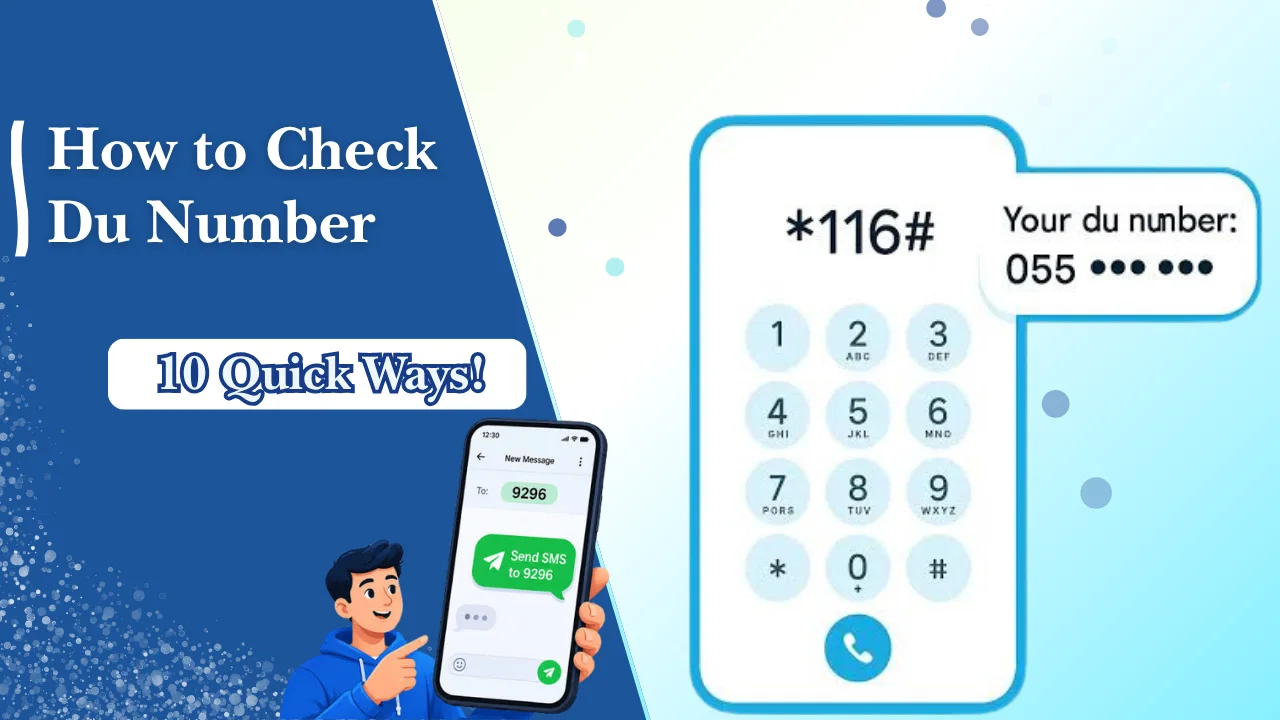
The fastest and most widely used way to check your Du number is by dialling *116# from your Du SIM. Within a few seconds, your mobile number usually appears on your screen.
This method is:
- Free to use
- Available 24 hours a day
- Suitable for most prepaid and postpaid users
- Easy for first-time users
- Completed in less than one minute
For most customers, this should always be the first method to try.
Alternative Quick Methods at a Glance
If the USSD code does not work or you prefer another option, you can use one of these alternatives.
| Method | Time Required | Internet Needed |
| Official USSD Code | Less than 1 minute | No |
| Official Mobile App | 1–2 minutes | Yes |
| SMS Method | 1 minute | No |
| Phone Settings | Less than 1 minute | No |
| Call or Text Another Phone | Less than 1 minute | No |
| SIM Packaging | Less than 1 minute | No |
| Customer Support | 5–10 minutes | Optional |
What Is a Du Number?
A Du number is the mobile phone number assigned to your Du SIM card. It is the number people use to call or message you and the number linked to your mobile account.
Your Du number is different from your SIM card’s unique serial number. The mobile number is used for communication, while the SIM serial number is mainly used for activation, replacement, and technical support. Just as users perform a Lulu balance check or FAB balance check to access specific account information, knowing your Du mobile number is essential for managing your mobile services, account verification, and customer support.
Knowing your number is important because many online services in the UAE require mobile verification through SMS or one-time passwords.
When You May Need to Check Your Du Number
Many users only realise they do not know their number when they need it urgently.
You may need to check your Du number if you are:
- Activating a new SIM card
- Registering for online banking
- Creating a UAE digital account
- Receiving one-time verification codes
- Recharging your mobile balance
- Sharing your contact details
- Updating your employer or school records
- Registering for delivery services
- Using government digital services
Remembering your mobile number can also save time when contacting customer support or requesting a SIM replacement.
10 Quick Ways To Check Your Du Number In Dubai
There are several reliable methods available. The first method is the one most people use because it is quick, free, and works on almost every mobile phone.
Method 1: Use the Du Number Check Code (*116#)
The official USSD code is the easiest way to find your Du number. It works directly from your SIM card and does not require internet access.
Step-by-Step Instructions
- Insert your Du SIM into your phone.
- Open the Phone or Dialler application.
- Dial *116#.
- Press the Call button.
- Wait a few seconds.
- Your mobile number should appear on your screen.
This method is suitable for smartphones as well as basic feature phones.
What to Do if the USSD Code Doesn’t Work
If your number does not appear after dialling the code, try the following:
- Restart your phone.
- Make sure your Du SIM is inserted correctly.
- Confirm that your SIM is activated.
- Move to an area with better network coverage.
- Try another method listed below.
- Contact customer support if the issue continues.
Method 2: Check Your Number Using the Official Mobile App
If you have internet access, the official mobile application provides another simple way to view your mobile number and account details.
Once you sign in, your registered number is normally displayed on the main account screen.
Sign In and Locate Your Mobile Number
Follow these steps:
- Install the official Du mobile application.
- Sign in using your account credentials or OTP.
- Open your account dashboard.
- Your registered mobile number will be displayed together with your account details.
This method is especially useful if you manage multiple mobile services.
Benefits of Using the App
Using the official application offers additional advantages beyond checking your number.
Some useful features include:
- View your mobile number instantly.
- Monitor remaining balance.
- Check data usage.
- View active packages.
- Recharge your account.
- Manage multiple mobile services.
- Receive service notifications.
Method 3: Check Your Du Number via SMS
Some users may be able to retrieve their mobile number using an SMS service if it is supported for their account.
Availability may vary depending on your SIM type or service updates.
SMS Method (If Available)
If SMS retrieval is available:
- Open your messaging application.
- Type the required keyword according to the latest service instructions.
- Send the message to the designated service number.
- Wait for the reply containing your registered mobile number.
Since telecom services may change, it is always advisable to verify the latest SMS instructions through the official provider.
Important Notes Before Using SMS
Keep the following points in mind:
- SMS services may not be available for every customer.
- Standard messaging charges could apply in some cases.
- Ensure your SIM is active.
- Network coverage should be available.
- If no reply is received, use another method.
Method 4: Check Your Number in Phone Settings
Most smartphones automatically store the inserted SIM information, allowing you to view your mobile number directly from your device settings.
This method is quick and does not require internet access.
On Android Devices
The exact menu may differ depending on the phone manufacturer, but the general steps are similar.
- Open Settings.
- Select About Phone or About Device.
- Tap SIM Status or SIM Card Information.
- Check whether your mobile number is displayed.
Some Android phones may show “Unknown” if the number has not been written to the SIM.
On iPhone (iOS)
For iPhone users:
- Open Settings.
- Tap Phone.
- Select My Number.
- Your registered mobile number should appear if available.
If the field is blank, try another method such as the USSD code or the official app.
Method 5: Call or Text Another Phone
If your SIM is active, calling or sending a message to another phone is another quick way to identify your number.
This method works even on basic mobile phones.
Using a Missed Call
Ask a family member or friend to check the incoming number after you place a missed call.
The number displayed on their phone is your registered Du mobile number.
Sending a Text Message
You can also send a short SMS to another mobile number.
Once the recipient receives the message, they can tell you the number that appeared on their screen.
This method is useful when other services are temporarily unavailable and only requires that your SIM can connect to the network.
Method 6: Check the Original SIM Card Packaging
If you still have the original Du SIM package, you can easily find your mobile number without using your phone. The SIM sleeve usually contains important details printed on a label, making it one of the easiest offline methods.
Where to Find the Mobile Number
Look for the sticker attached to the SIM card holder or packaging. It commonly displays:
- Your Du mobile number
- SIM serial number
- Barcode
- Activation details
If the packaging is still in good condition, you should be able to locate your number within a few seconds.
Finding the SIM Serial Number (ICCID)
Besides your mobile number, the packaging also includes the Integrated Circuit Card Identifier (ICCID), also known as the SIM serial number.
The ICCID is useful when:
- Replacing a damaged SIM
- Contacting customer support
- Verifying SIM ownership
- Troubleshooting activation issues
Remember that the ICCID is different from your mobile number and should not be shared publicly.
Method 7: Check the SIM Activation SMS or Purchase Receipt
When your SIM was first activated, you may have received an SMS containing your newly assigned mobile number. If you still have this message, it provides another quick way to identify your number.
Activation Messages
Search your text messages for:
- Welcome messages
- SIM activation notifications
- Account registration confirmations
These messages often include your Du mobile number along with activation details.
Retail Invoice or Receipt
If you purchased your SIM from an authorised retailer, your purchase receipt may also contain:
- Mobile number
- SIM serial number
- Date of purchase
- Transaction reference
Keeping your receipt can be helpful if you ever need customer support or a SIM replacement.
Method 8: Contact Customer Support
If none of the self-service methods work, customer support can help verify your mobile number after confirming your identity.
This is one of the most reliable options when you have lost access to your SIM information.
Customer Care Options
You can contact customer support through:
- Customer care helpline
- Official mobile application
- Live chat services
- Customer service centres
- Social media support channels (where applicable)
Choose the method that is most convenient for you.
Information You May Need for Verification
For security reasons, you may be asked to provide:
- Emirates ID or passport
- Registered personal details
- SIM serial number (if available)
- Recent recharge information
- Account verification details
Providing accurate information helps speed up the verification process.
Method 9: Check Through UAE Digital Identity or Telecom Services (Where Applicable)
Some telecom-related digital services may allow users to verify registered mobile services after completing identity verification.
Availability depends on the specific service and account type.
Identity Verification Requirements
Before accessing account information, you may need:
- Emirates ID
- Registered mobile number
- One-Time Password (OTP)
- Verified digital identity
Identity verification protects customer information from unauthorised access.
Privacy and Security Considerations
Always remember to:
- Use official telecom platforms only.
- Avoid sharing verification codes.
- Never provide account passwords to anyone.
- Log out after using shared devices.
- Keep your account credentials secure.
Method 10: Visit a Customer Service Centre
If your SIM is damaged, inactive, or you cannot access your account, visiting a customer service centre is often the best solution.
Staff members can verify your identity and help recover your mobile number.
Required Documents
Bring one of the following documents:
- Emirates ID
- Passport (for visitors)
- Valid identification linked to the account
Additional verification may be required for business accounts.
When an In-Person Visit Is Recommended
Consider visiting a service centre if:
- Your SIM is lost.
- Your SIM is damaged.
- Your account is blocked.
- Identity verification cannot be completed online.
- You need a replacement SIM.
- Your number cannot be retrieved using any other method.
Du Number Check for Different Account Types
The available methods may vary slightly depending on the type of account you have. Fortunately, the official USSD code and most alternative methods work for the majority of users.
| Account Type | How to Check Du Number |
| Prepaid SIM Users | Easily check your number by dialling the USSD code (*116#), using the official app, checking the SIM packaging, making a call, or contacting customer support. |
| Postpaid Users | View your number through the USSD code, official app, monthly bill, online account portal, or by speaking with customer care. |
| Business Accounts | Business users can verify their number through the authorised account administrator, business portal, or dedicated business customer support. |
| Home Wireless and Internet Customers | Find your registered number using your account dashboard, billing records, service documents, or by contacting customer support. |
| Tourist SIM Users | Tourist SIM users can check their number using the USSD code, SIM packaging, activation SMS, or by visiting a customer service centre before leaving the UAE. |
How to Check Your Du Number Without Balance
Running out of balance does not necessarily prevent you from finding your mobile number.
Several methods work even when your account has no remaining credit.
Free Methods That Do Not Require Credit
These methods are generally available for how to check Du number without balance:
- Dial the Du number check code.
- Use phone settings.
- View SIM packaging.
- Check activation SMS.
- Open the official app using Wi-Fi.
- Visit a customer service centre.
Offline Ways to Find Your Number
If you have no internet connection, you can still use:
- Original SIM packaging
- Purchase receipt
- Phone settings
- Missed call (if service is active)
- Customer support
Du Number Check Code vs Other Number Checking Methods
There are several ways to check your number, but each method has its own advantages.
USSD vs Mobile App
| Feature | USSD Code | Mobile App |
| Internet Required | No | Yes |
| Speed | Very Fast | Fast |
| Easy to Use | Yes | Yes |
| Additional Account Features | No | Yes |
The USSD code is ideal for users who need their number immediately.
SMS vs Phone Settings
SMS is useful when available, while phone settings provide a quick offline method without sending messages.
Customer Support vs Physical SIM Packaging
Customer support is best when your account requires verification, whereas SIM packaging is helpful if you still have the original card holder.
Which Method Is Best for Most Users?
For most people, the recommended order is:
- Dial *116#.
- Use the official mobile app.
- Check phone settings.
- Review SIM packaging.
- Contact customer support if necessary.
Du Mobile Number vs Du SIM Number
Many users confuse these two numbers, but they serve different purposes.
What Is a Mobile Number (MSISDN)?
The mobile number is the telephone number assigned to your SIM.
It is used for:
- Calls
- SMS
- WhatsApp registration
- Banking verification
- Online accounts
- Government services
What Is a SIM Number (ICCID)?
The ICCID is a unique identification number assigned to your SIM card itself.
It is mainly used for:
- SIM activation
- SIM replacement
- Technical support
- Account verification
Unlike your mobile number, the ICCID is usually much longer and is not used for making calls.
Common Problems & Easy Solutions
Sometimes you may experience issues while trying to retrieve your mobile number. Fortunately, most problems have simple solutions.
| Problem | Solution |
| USSD code not working | Restart your phone, check network coverage, and try again. |
| Mobile number not showing in device settings | Use the USSD code or official mobile app instead. |
| App login issues | Reset your password or verify your internet connection. |
| SMS method not responding | Wait a few minutes or use another available method. |
| Different number appearing | Ensure the correct SIM card is inserted and activated. |
| SIM not activated | Complete activation or contact customer support. |
| Lost or damaged SIM card | Visit a customer service centre to request a replacement SIM. |
Other Useful Du USSD and Service Codes
While some services may change over time, these are among the most commonly used options available to customers.
- Du Balance Check Number: Quickly view your remaining prepaid balance.
- Data Balance Check: Check your available internet data before purchasing another package.
- Remaining Minutes Check: See how many local or international minutes you have left.
- Recharge Code: Top up your prepaid account using a recharge voucher.
- Validity Check: Confirm your remaining balance validity and package expiry.
- Customer Care and Service Codes: Access customer support and other self-service options when you need assistance.
How to Verify Du Number Ownership
In some situations, you may need to confirm that a Du mobile number is registered under your name. For security and privacy reasons, you can only verify ownership of numbers that belong to you.
Identity Verification Process
When requesting ownership verification, you will normally be asked to confirm your identity before any account information is shared.
The process generally includes:
- Visit an authorised customer service centre or use an official support channel.
- Provide your registered identification document.
- Complete any requested security verification.
- The representative will confirm whether the mobile number is registered under your name.
Documents You May Need
Depending on your account type, you may need one or more of the following documents:
- Emirates ID for UAE residents.
- Passport for visitors or tourists.
- Business authorisation documents for company accounts.
- SIM card or SIM serial number, if available.
Privacy and Security Guidelines
To protect customer information:
- Only use official customer support channels.
- Never share one-time passwords (OTPs).
- Do not disclose your account password.
- Avoid requesting ownership information for numbers that do not belong to you.
- Keep your identification documents secure.
Safety Tips When Checking Your Number
Checking your mobile number is simple, but you should always protect your personal information. Using official methods helps reduce the risk of fraud and keeps your account secure.
Protect Your Personal Information
Only enter your personal details on official platforms and avoid sharing sensitive account information with unknown individuals.
Avoid Unofficial Apps and Websites
Some third-party websites claim to display mobile account information. These services may not be secure and could collect your personal data.
Always use official customer support, the official mobile application, or authorised service centres.
Beware of Scams and Fake USSD Codes
Fraudsters sometimes promote fake service codes or ask users to dial unknown numbers.
To stay safe:
- Use only officially published service codes.
- Never share OTPs or PINs.
- Ignore suspicious calls requesting account details.
- Report suspected scams through official support channels.
Best Practices for Managing Your Du SIM
Following a few simple habits can help you avoid problems in the future and make it easier to recover your account if needed.
- Save your mobile number in your contacts immediately after activation.
- Register more than one recovery method whenever available.
- Keep your original SIM packaging and purchase receipt in a safe place.
- Update your account information whenever your personal details change.
Advantages and Limitations of Each Du Number Check Method
Each method offers different benefits depending on your situation. Some are faster, while others are useful when your SIM is inactive or you do not have internet access.
Comparison Table of All Methods
| Method | Internet Required | Balance Required | Time Needed | Difficulty Level | Works Without SIM Credit |
| USSD Code (*116#) | No | No | Less than 1 minute | Very Easy | Yes |
| Official Mobile App | Yes | No | 1–2 minutes | Easy | Yes (using Wi-Fi) |
| SMS Method | No | Usually No | 1 minute | Easy | Usually Yes |
| Phone Settings | No | No | Less than 1 minute | Very Easy | Yes |
| Call or Text Another Phone | No | Usually Yes | Less than 1 minute | Very Easy | No, if outgoing services are restricted |
| SIM Packaging | No | No | Less than 1 minute | Very Easy | Yes |
| Activation SMS | No | No | Less than 1 minute | Easy | Yes |
| Customer Support | Optional | No | 5–10 minutes | Moderate | Yes |
| Digital Identity Services | Usually Yes | No | 5 minutes | Moderate | Yes |
| Customer Service Centre | No | No | 15–30 minutes | Easy | Yes |
Common Mistakes to Avoid
Many users experience unnecessary delays because of small mistakes while trying to retrieve their mobile number. Keeping these points in mind can save time and prevent account-related issues.
- Do not confuse your mobile number (MSISDN) with your SIM serial number (ICCID).
- Always use the correct and officially published USSD codes.
- Ensure your SIM registration details are up to date and linked to your identification.
- Never share sensitive account information, passwords, or verification codes with anyone.
Related Du Services
Besides checking your mobile number, several other services help you manage your account more effectively.
- Du Balance Check: View your remaining call, SMS, and data balance.
- SIM Registration and Activation: Complete SIM activation and identity verification for new connections.
- SIM Replacement: Replace a lost, stolen, or damaged SIM while keeping your existing number.
- Recharge and Top-Up Options: Add prepaid credit through recharge cards, online payment methods, or authorised retailers.
- Number Portability: Transfer your existing mobile number between telecom providers where eligible.
- Account Management: Manage packages, billing, personal details, and additional services through official channels.
Conclusion
Checking your Du mobile number is quick and straightforward, with several reliable methods available for every type of customer. For most users, dialling the official Du number check code, *116#, remains the fastest and easiest option because it is free, requires no internet connection, and works within seconds.
If that method is unavailable, you can use the official mobile application, phone settings, SIM packaging, activation messages, customer support, or visit a customer service centre.
Whether you are a resident, visitor, business customer, or prepaid user, using official methods is always the safest way to check your Du number.
FAQs
What is the Du number check code?
The quickest way to check your Du mobile number is by dialling *116# from your Du SIM. Your number usually appears on the screen within a few seconds.
How can I check my Du SIM number?
You can check your Du number using the USSD code, the official mobile app, phone settings, SMS (where available), SIM packaging, customer support, or by calling another phone.
How can I check my Du number without balance?
Yes. You can usually check your number without any balance by dialling the USSD code, viewing your phone settings, checking your SIM packaging, or using the official mobile app with a Wi-Fi connection.
Can I check my Du number online?
Yes. If you have internet access, you can sign in to the official mobile application or other authorised account management services to view your registered mobile number.
How do I check my Du number on Android?
Open Settings, go to About Phone or SIM Card Information, and look for your mobile number. If it is not displayed, dial *116# instead.
How do I check my Du number on iPhone?
Go to Settings > Phone > My Number. If your number is unavailable, use the USSD code or the official mobile application.
What should I do if *116# is not working?
Restart your phone, check that your SIM is properly inserted, ensure you have network coverage, and try again. If the issue continues, contact customer support or visit a customer service centre.
How can I verify the owner of a Du number?
You can only verify ownership of your own number through official customer support after completing identity verification with the required identification documents.
What is the difference between a Du mobile number and SIM number?
The mobile number (MSISDN) is used for calls and messages, while the SIM number (ICCID) is the unique serial number assigned to the SIM card for identification and technical purposes.
Where can I find my Du SIM serial number (ICCID)?
You can find the ICCID printed on the original SIM packaging, on the SIM card itself in some cases, or within your phone’s SIM information settings.